Skip to content

SharePoint archiving without locking files away

Reduce storage costs by archiving inactive SharePoint data without disrupting how teams work.

Organizations typically save 60% or more compared to Microsoft 365 extra file storage costs.

Create a clean modern flat vector illustration for a B2B SaaS website that visualizes a threestep SharePoint data lifecycleThe illustration is arrange-1

Why SharePoint archiving becomes necessary


Icon of 4 arrows pointing away from each other
SharePoint data grows continuously — even when no longer used
Green file icon
Versioning silently inflates storage consumption
Green integration icon
Inactive data is billed like active data
 
Green icon of a exclamation mark on star-shaped background
Manual cleanup does not scale and is unreliable
 

What SharePoint archiving is and what it is not

Modern SharePoint archiving complements backup and retention. It does not replace them.

Archiving

Move inactive SharePoint data to lower-cost storage without removing it from user workflows.

Backup

Disaster recovery, not storage reduction

Retention

Legal hold, not cost optimization

How modern SharePoint archiving works

1

Identify

Identify inactive or oversized files

2

Archive

Archive files automatically based on rules

3

Preserve

Keep metadata and links in SharePoint

4

Restore

Restore files instantly when needed

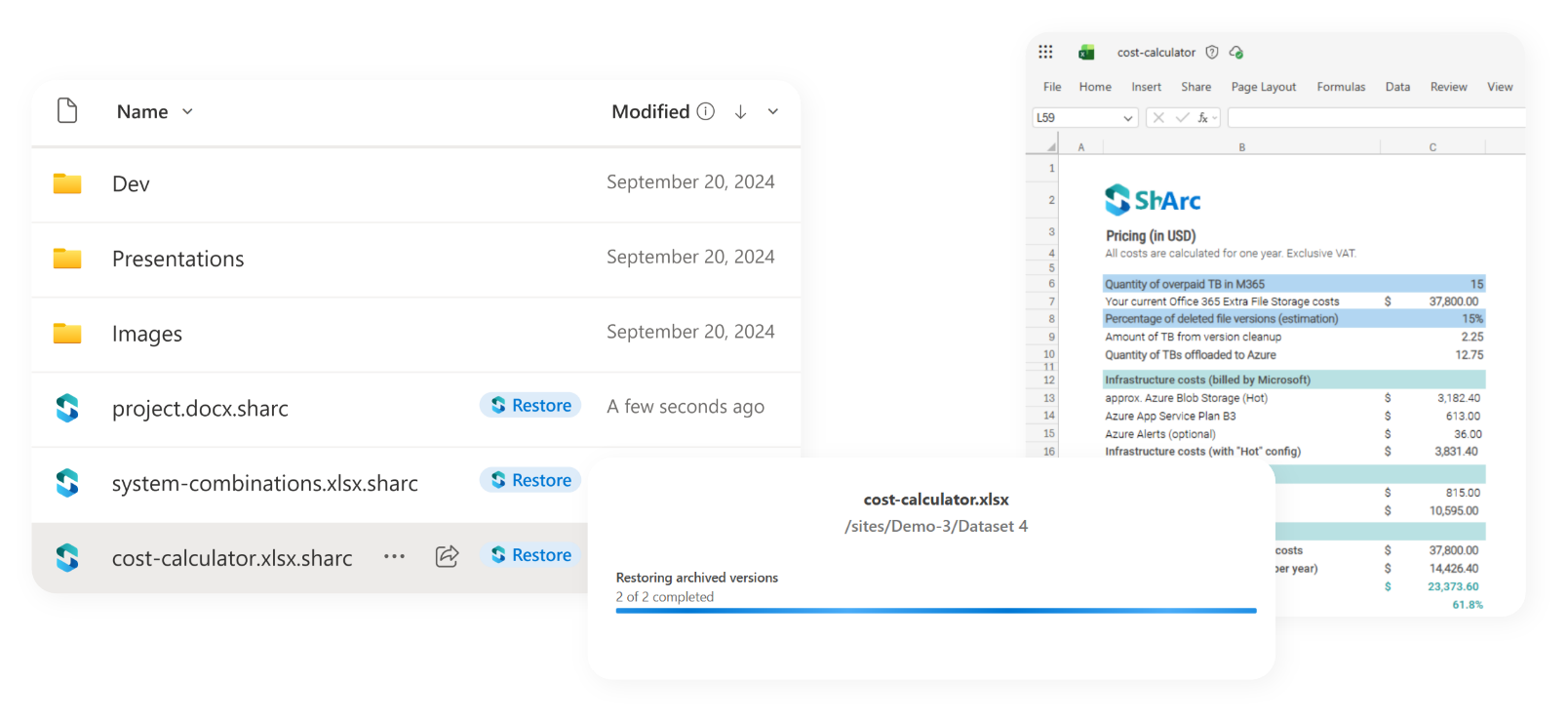
Screenshots of restoring archived files in SharePoint

End users can restore archived files without IT involvement

  • Files remain visible in SharePoint libraries
  • One-click restore directly by end users
  • No IT tickets or manual intervention
Why SharePoint-native archiving reduces storage costs
Icon of 4 arrows pointing away from each other

Inactive data can be identified and moved to more cost-efficient storage tiers

Green icon of a exclamation mark on star-shaped background

No reactivation fees, immediate reactivation

Icon of a green magnifying glass

Full cost transparency in your own Azure tenant

Trusted by SharePoint Admins around the world

What does SharePoint archiving mean financially?

Enter your SharePoint volume and see savings on SharePoint extra file storage costs.

SharePoint archiving options compared

ShArc Icon
MicrosoftArchive
ShArc
 
Microsoft Archive
File-level archiving
Individual files archived by metadata-based rules
Only full sites can be archived
End-user restore
One-click restore directly from SharePoint
Admin must reactivate entire site
Storage cost control
Transparent costs in your own Azure tenant
Reduced rate but limited visibility
Reactivation fees
None — immediate restore, re-archive anytime
Reactivation can take hours; re-archive blocked for up to months
Impact on user workflows
Files remain visible and linkable
Archived sites inaccessible until reactivated
Designed for real-world SharePoint environments
Icon customers

Used by organizations with 10–100+ TB SharePoint data

Green integration icon

Operates inside the customer's Azure tenant

Icon of a green security lock

No data migration, no SaaS black box

"ShArc has done what Microsoft clearly refused to do. Utilizing a cheaper cold storage approach as a backend for live active SharePoint sites is perfect! End users don't see a change but data storage costs are kept in control. Its an ingenious solution to a problem all SharePoint admins face." 

John Terrence  |  IT Manager  |  Simple Mills Inc.

Ready to take SharePoint archiving to the next level?

Trusted Microsoft 365 vendors with 1,500+ customers, 2.5+ PB moved data, Zero disruption for end users.

Microsoft Partner Logo
Microsoft Modern Work Solution Partner

 

Icon customers
More than 500 organizations trst ShArc

Icon badge
2.5 PB data successfully offloaded
 
Icon productivity
$3.7 Million storage costs saved