Skip to content

Reduce SharePoint storage costs by at least 61%

Work in SharePoint as usualstore in Azure. Learn more about SharePoint storage pricing during a free demo session. We show you how high the SharePoint extra storage price is and how you can prevent or reduce these costs by at least 61% while end users can access all data as usual with one click

Initial estimate of your SharePoint cost savings

Adjust the slider below to see how much you could save by archiving inactive data to Azure Blob Storage with ShArc in comparison to extra SharePoint storage costs. 

ShArc reduces SharePoint storage costs by at least 61%

End users maintain full access in SharePoint, Teams, and OneDrive and continue working exactly as before.

*These numbers are estimates including version reduction. For an exact calculation based on your environment, request a free demo.

TB15
TB1 TB100
Estimatet savings
$
Costs with ShArc
$
SharePoint extra storage cost
$
 
Why IT admins trust ShArc

Trusted Microsoft 365 partner with 1,500+ customers, 2.5+ PB moved data, Zero disruption for end users. 

Microsoft Partner Logo
Microsoft Modern Work Solution Partner

 

Icon customers
More than 500 organizations trst ShArc

Icon badge
2.5 PB data successfully offloaded
 
Icon productivity
$3.7 Million storage costs saved

Trusted by SharePoint Admins around the world

Why SharePoint storage becomes a cost trap

 Every IT admin knows the problem: The costs of additional SharePoint storage costs are too high. 

Green icon of a exclamation mark on star-shaped background
Inactive data billed like active data
SharePoint charges the same rate for files nobody has opened in 3 years. Every unused version, every forgotten project folder—billed at full price.

Green integration icon
Microsoft's own archive is limited
Microsoft 365 Archive has no immediate restore. Up to 24-hours restore delays, up to 4-month re-archiving delays, and far less control over policies.

Icon of 4 arrows pointing away from each other
Manual cleanup doesn't scale
Asking teams to clean up their files never works at scale. It's unreliable, time-consuming, and always falls back on IT.
Green file icon
Versioning silently inflates storage consumption
Edits often create a new version. A 10 MB file with 50 versions takes up 500 MB. Multiply that across your entire organization.
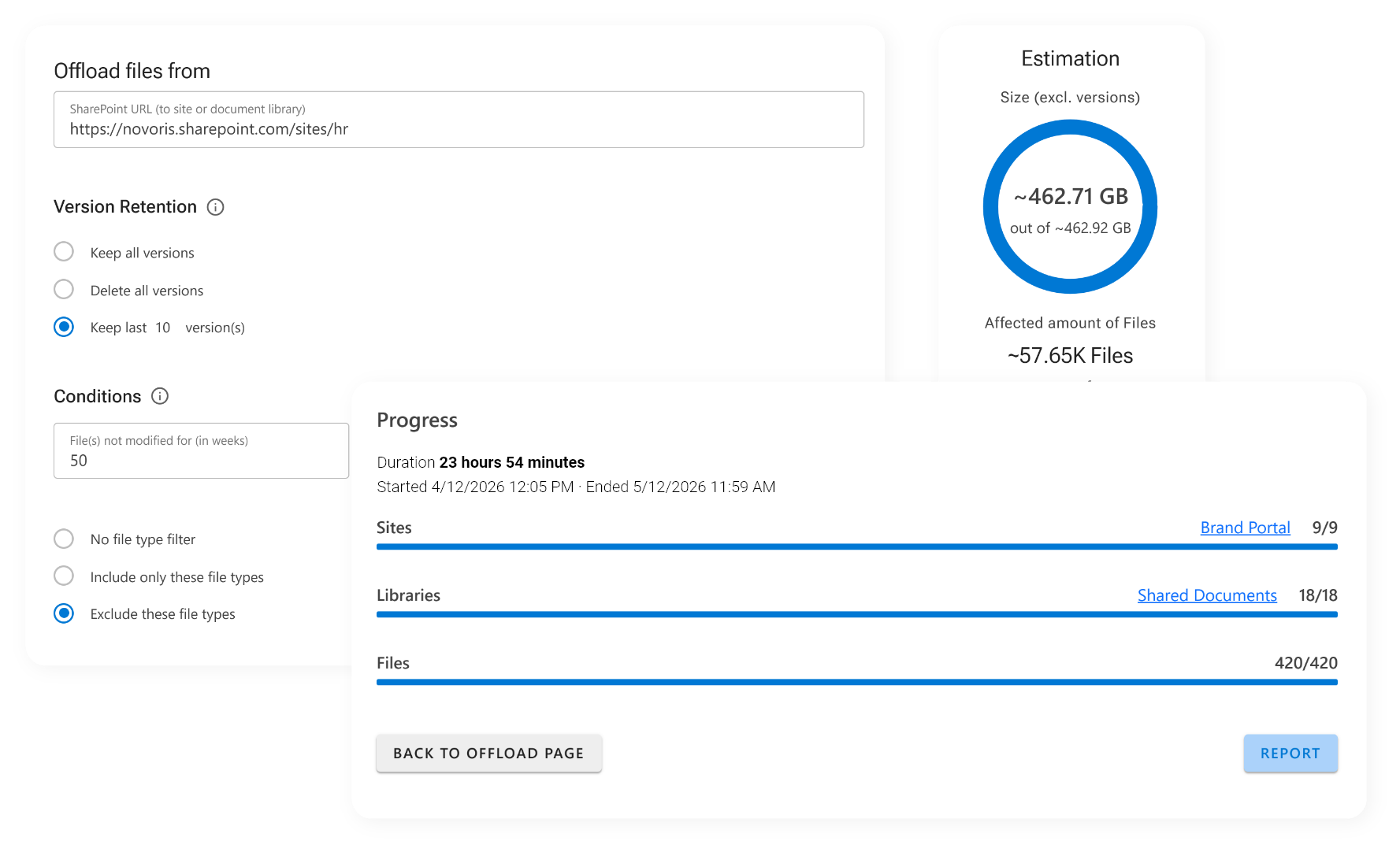
Automated SharePoint archiving with ShArc from day 1

Set your rules once. ShArc handles the SharePoint archiving and reduces your costs by at least 61%. 
1

Identify

ShArc scans your SharePoint and identifies inactive or oversized files based on your policies.

2

Archive

Files are automatically moved to low-cost Azure Blob storage — in your own tenant, under your control.

3

Preserve

Metadata, links, and permissions stay intact in SharePoint. Users see no change in their libraries.

4

Restore

Users restore any file themselves with one click. No IT ticket, no waiting, no helpdesk involvement.

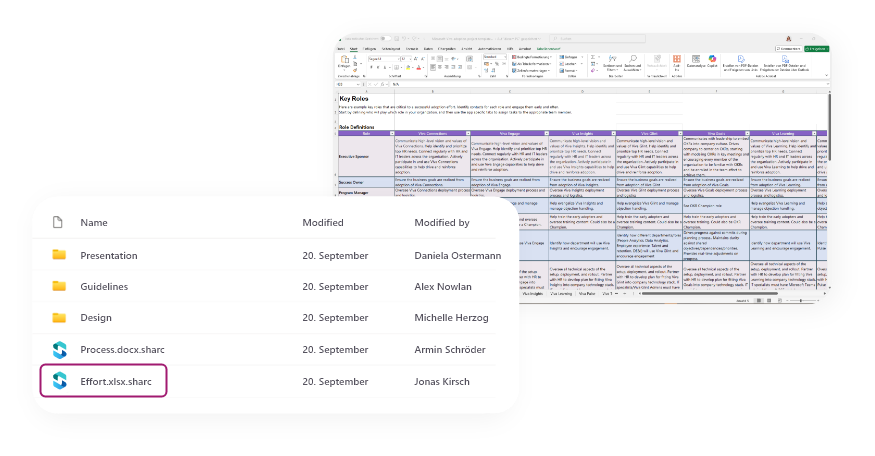
Screenshot of how ShArc looks
All features

Everything IT admins need

✓ Automatic archiving: set up archiving rules for your data, based on size, last access and more   

✓ Simple configuration: set up and configure archiving rules and policy management in minutes   

✓ Direct user access: let users restore archived data through familiar SharePoint interface with one click   

✓ Intuitive dashboard: keep an eye on storage limits, react early and provide the necessary storage capacities

✓ High security: your data stay in the Microsoft environment, based on your security policies

✓ Smart reporting: keep an eye on your data and create your reports with one click

 Automated notifications: get information about successful offloads or issues in real time through Azure Alerts 

"ShArc has done what Microsoft clearly refused to do. Utilizing a cheaper cold storage approach as a backend for live active SharePoint sites is perfect! End users don't see a change but data storage costs are kept in control. Its an ingenious solution to a problem all SharePoint admins face." 

John Terrence  |  IT Manager  |  Simple Mills Inc.

End user view of "one click restore" with ShArc

Nothing changes for end users—while IT saves time and money

End users access files as before through SharePoint, Teams and OneDrive.

They can only recognize that the data is archived when they see the ShArc icon. End users retrieve these data as usual by 1 click. So ShArc saves IT departments a lot of time for reloading data. 

Start now if you need:


Icon cost reduction
Reduced storage costs

Benefit from the low priced storage space in Azure Blob Storage. Minimize your SharePoint costs.

Icon storage
Extended storage

Never run out of SharePoint storage. Ensure scalability of your storage capacities.

Icon integration
Seamless integration
Set up in minutes. Integrate Azure Blob Storage with SharePoint and define your archiving rules.

Icon lock
Advanced security
Keep your data safe in trusted systems—in compliance with policies. For your security we use APIs like graph.
Icon rocket
Higher productivity
Focus on important tasks. No more worries about limited storage capacities or data access.
Icon smooth access
Smooth access
Let users restore and access data as usual via SharePoint, OneDrive or Teams. The usability remains as simple as before.
The team behind ShArc

 More than 3,200 companies around the world trust us and our products. We are Layer2 leading solutions, the market leading provider for integration and synchronization software since 1991 and a certified Microsoft Modern Work Solution Partner with 4.5 stars on Capterra, Software Advise and GetApp.

Microsoft Partner Logo
Microsoft Modern Work Solution Partner


Icon customers
More than 750.000+ active users
Icon badge
Since 1991
 
Icon map
Made in Hamburg, Germany