
Last updated: June 9, 2026
This guide explains the available methods users can use to restore archived ShArc files directly from SharePoint.
Archived files can be restored in different ways, depending on the user’s preferred workflow and the available actions in the SharePoint interface.
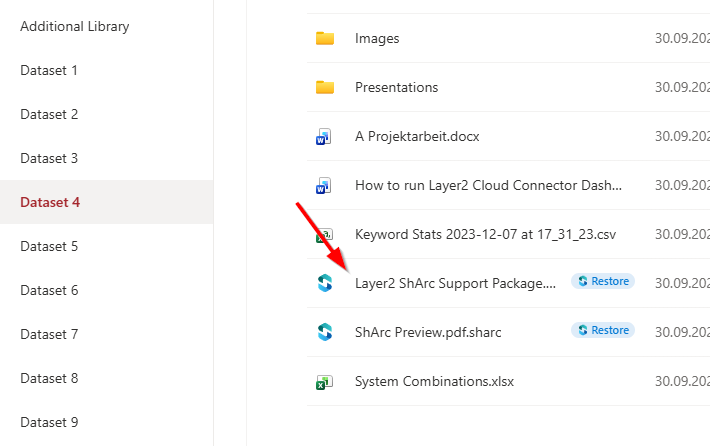
1. 1-click restore on file click
The default restore method is to click the name of an archived file in SharePoint.
When a user clicks the file name, the ShArc restore flow is triggered automatically. This provides a familiar click-to-open experience and allows users to start the restore process directly from the file list.
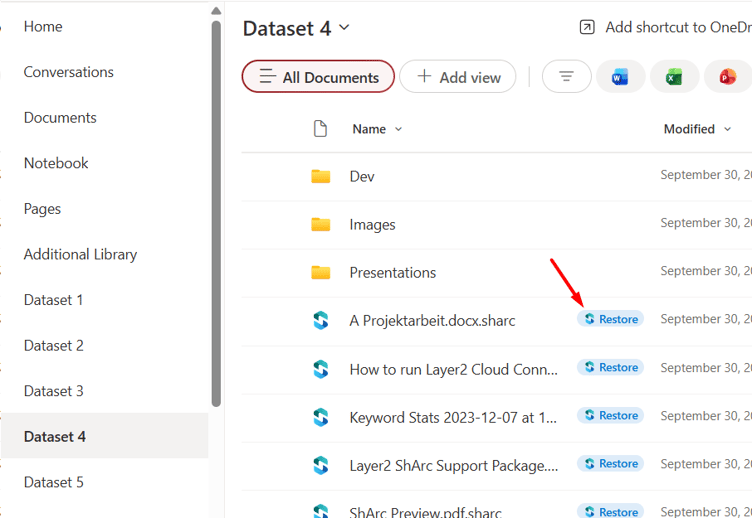
2. Inline “Restore” badge
A “Restore” action is displayed directly next to the file name in SharePoint.
This allows users to start the restore process directly from the file list without opening the file context menu.
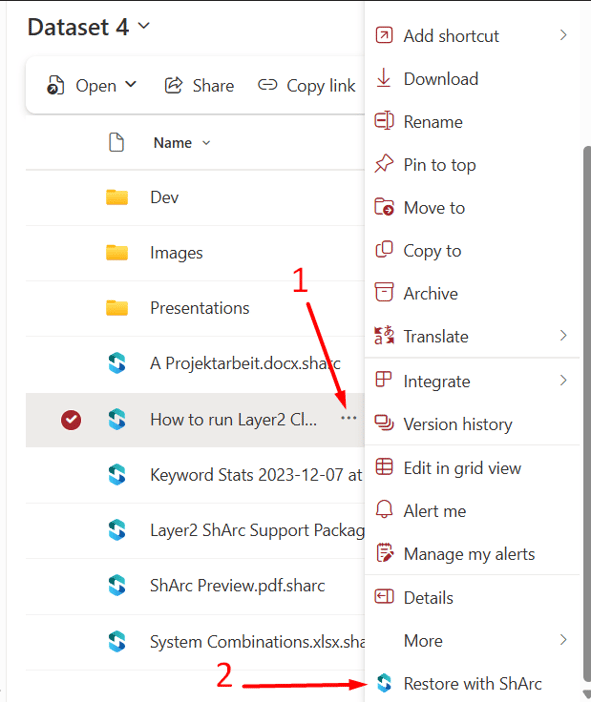
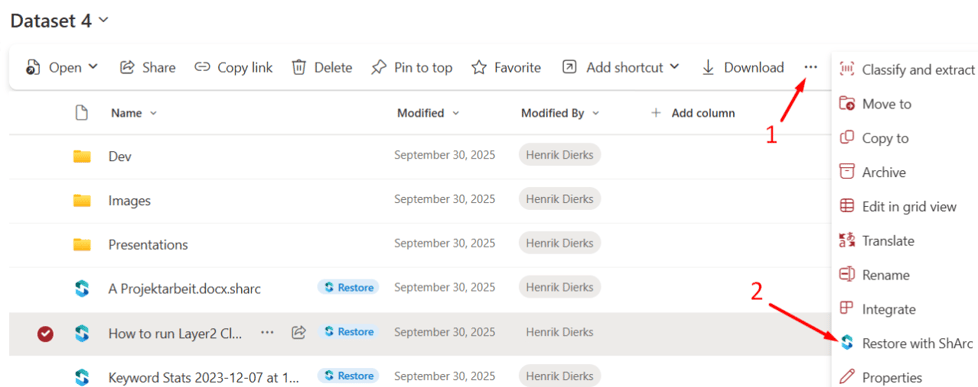
3. File context menu action
A “Restore with ShArc” entry is available in the file context menu.
Users can open the context menu of an archived file and select “Restore with ShArc” to manually start the restore flow.