Trace your archived data with ShArc's history feature
When managing storage in a complex SharePoint environment, visibility is everything. Whether you're responding to internal audits, tracking storage behavior across departments, or simply optimizing your archiving strategy: with ShArc you know exactly what was archived and when.
The history feature helps you with: ensuring compliance and traceability, supporting troubleshooting and process refinement, enabling data-driven optimization of archiving rules and bringing full accountability into automated storage management. For an initial overview, you can also use the reporting feature.
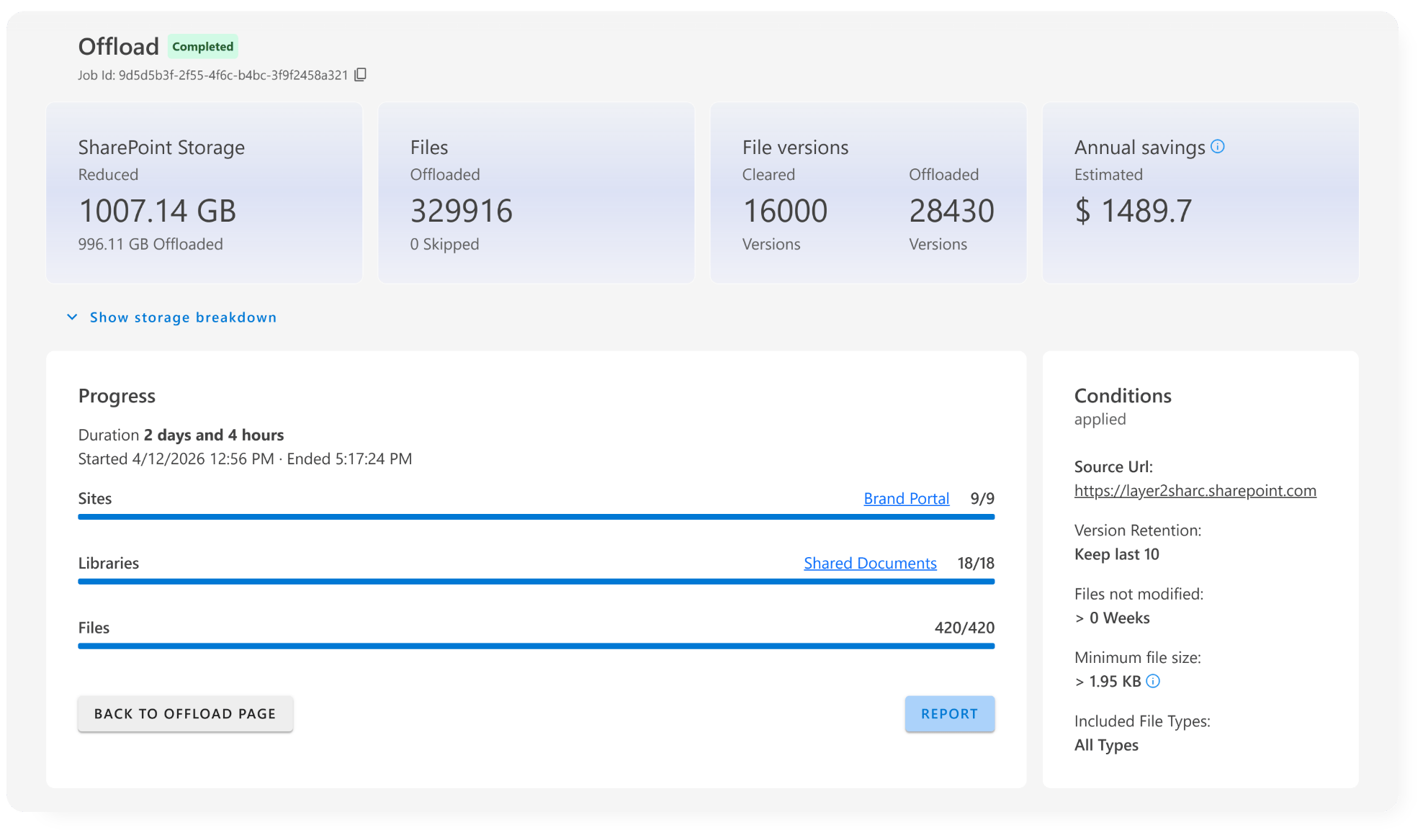
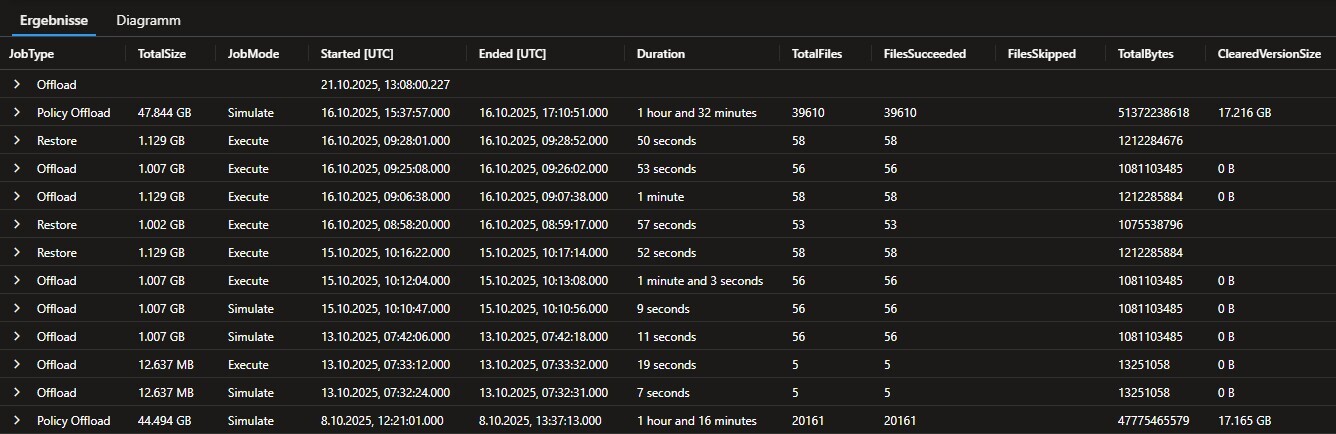
Transparency and full control
With ShArc, every archived action is documented in detail. You can track which files were moved to Azure Blob Storage, see what triggered the action (e.g. rule-based conditions like size or last modified date), and monitor the status of each job in real-time. This gives you a full audit trail that supports compliance, operational oversight, and continuous improvement.
- Confirm that archived files were archived correctly
- Investigate user questions like “Where did this file go?”
- Document activity for audits or governance reviews
- Continuously refine your archiving strategy based on real insights
ShArc offers you automation and insights
With built-in traceability, your archiving strategy becomes smarter and also safer, and more transparent. If you also use automated alerting, you'll always be up to date regarding your archiving.