

Simulate your archiving impact
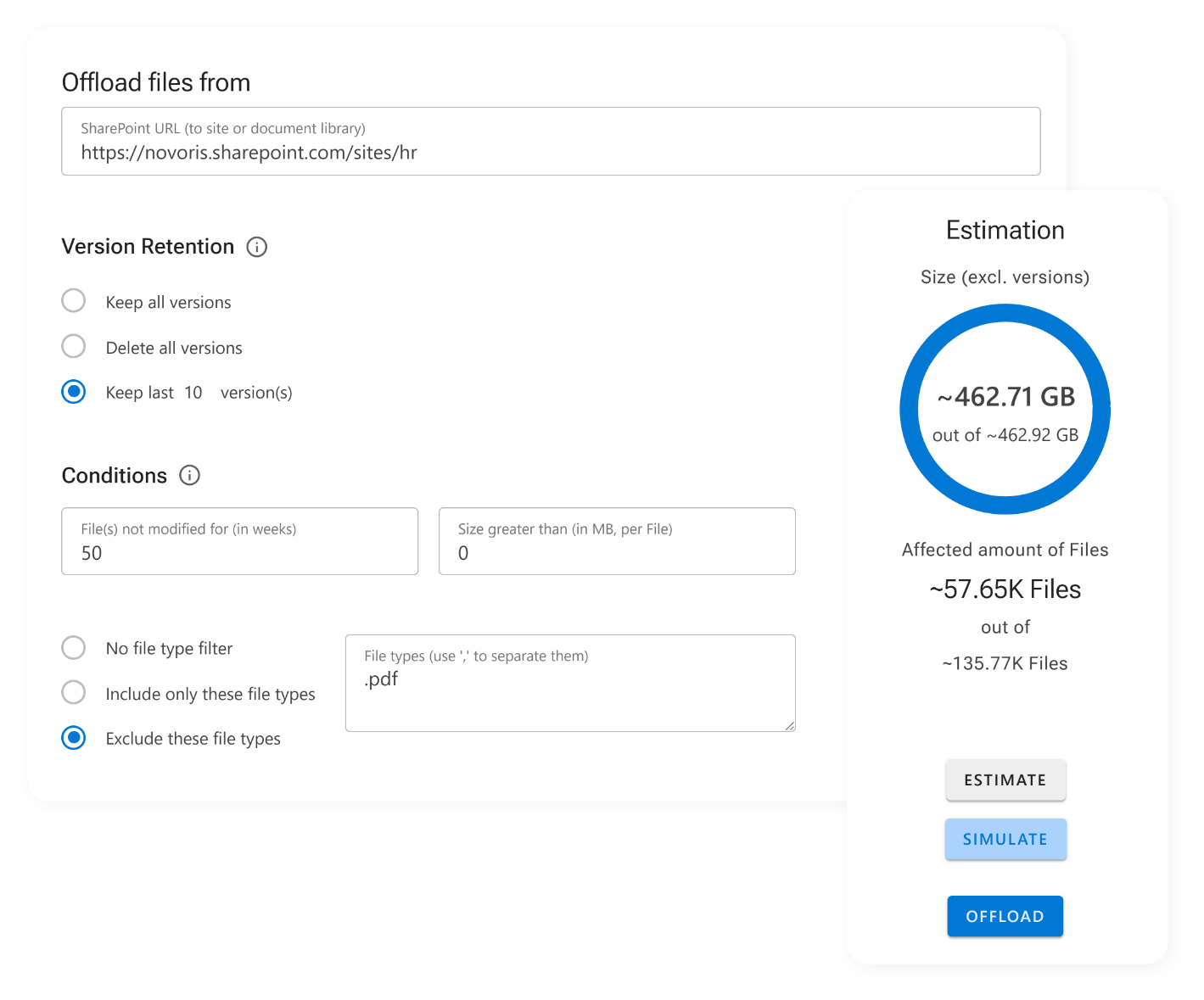
See the impact of your archiving settings, before you commit
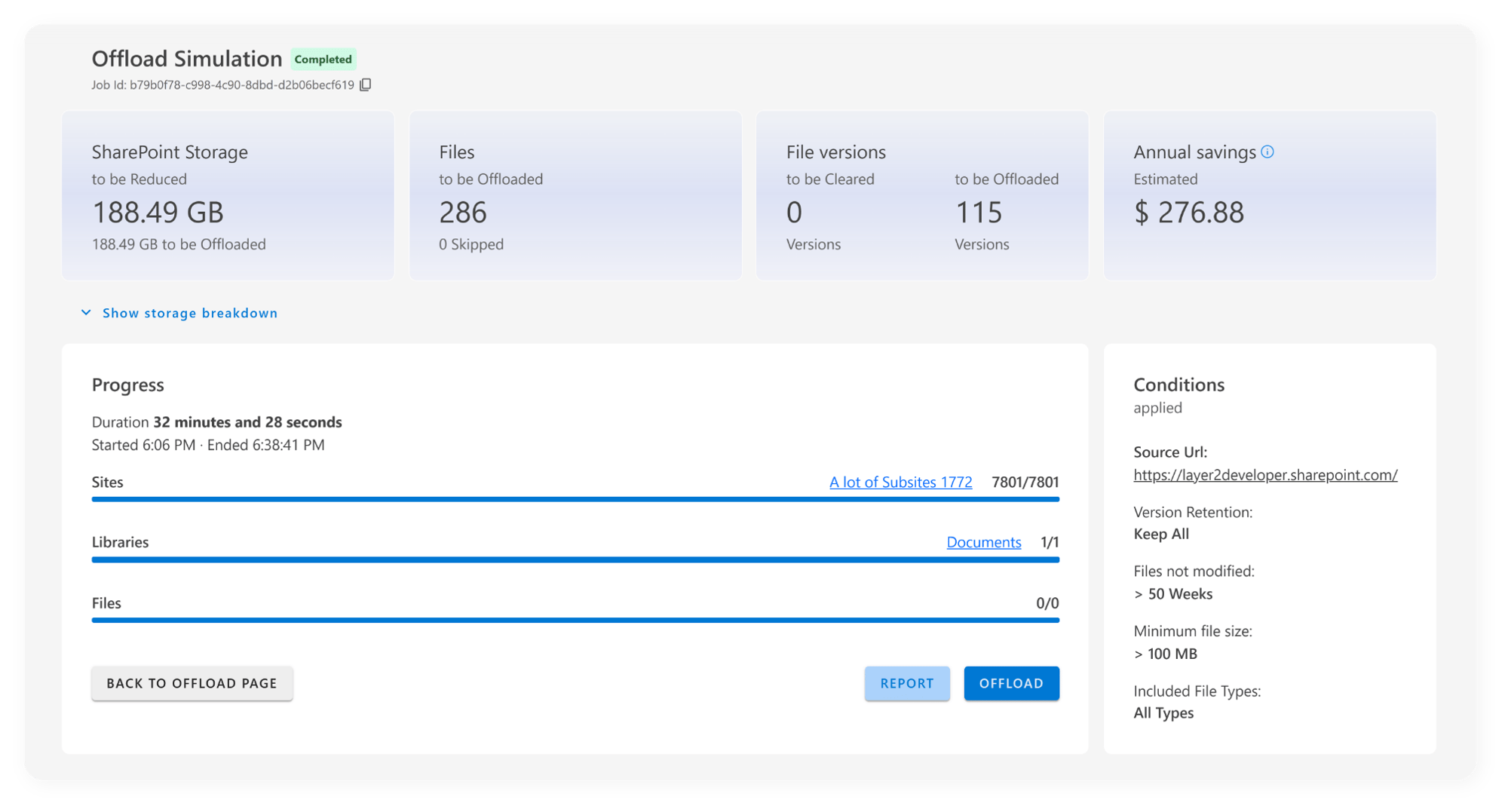
Whether you're targeting large media files, outdated documentation, or project archives, after a simulation, ShArc's Reporting helps you answer essential questions like:
- How many files will be affected?
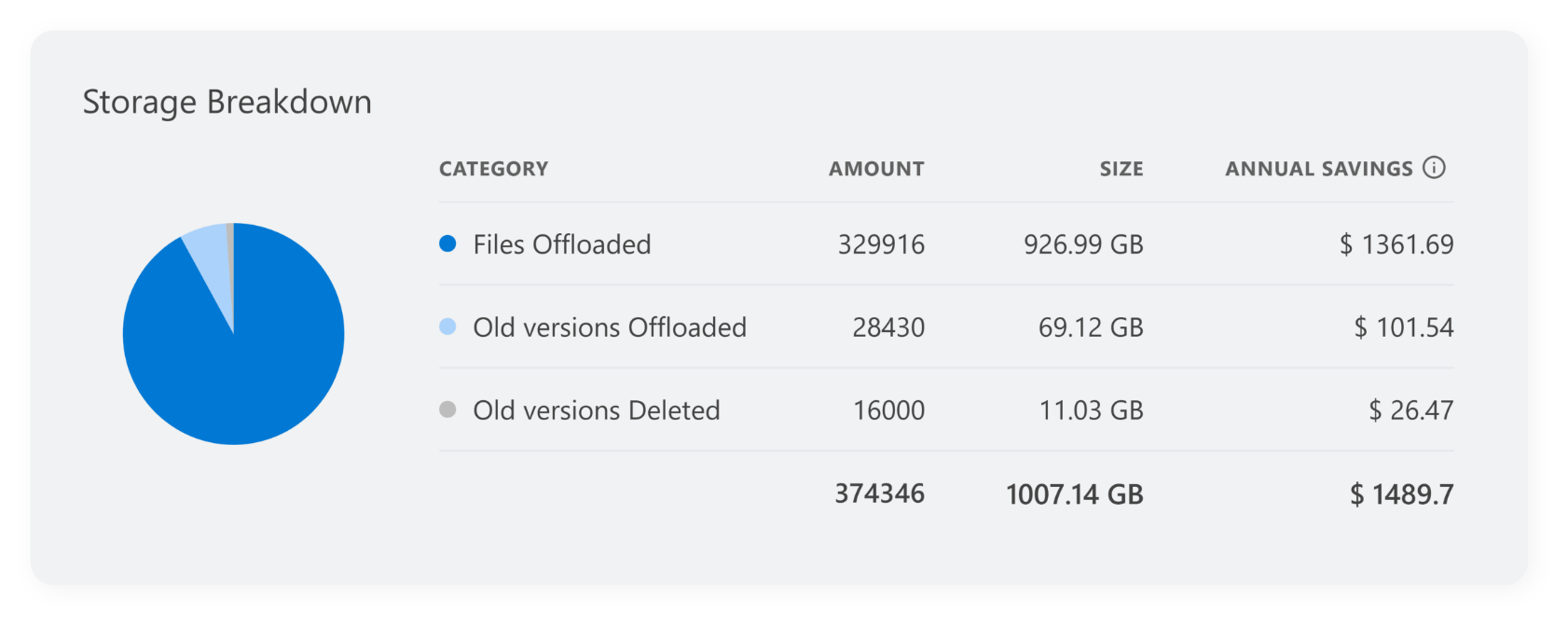
- How much storage will I save?
- Do these rules impact business-critical content?
Receive detailed information before archiving
The preview, simulation and storage breakdown offer clear metrics and detailed information per site or library, so you can assess storage potential with confidence. It also helps identify quick wins: high-volume candidates for archiving that don’t affect current workflows.
If you want to adjust your Archiving Conditions, you can make changes and start a new simulation.
Why the Preview matters
- Automated, planned archiving
- Make informed, data-backed decisions
- Avoid over-cleaning and keep important files accessible
- Maximize your ROI by archiving only what makes sense
With this insight-first approach, you can fine-tune your archiving strategy before implementing it, and avoid costly trial-and-error cycles. The result is a leaner, cleaner SharePoint environment, optimized for performance and cost-efficiency.