Skip to content

Powerful features to optimize your SharePoint Storage costs

ShArc offers a suite of powerful features designed to help you efficiently manage and optimize your SharePoint storage. From custom offload configurations to automated archiving and comprehensive file tracing, ShArc makes data management for SharePoint easy, effective, and most important: cheap.
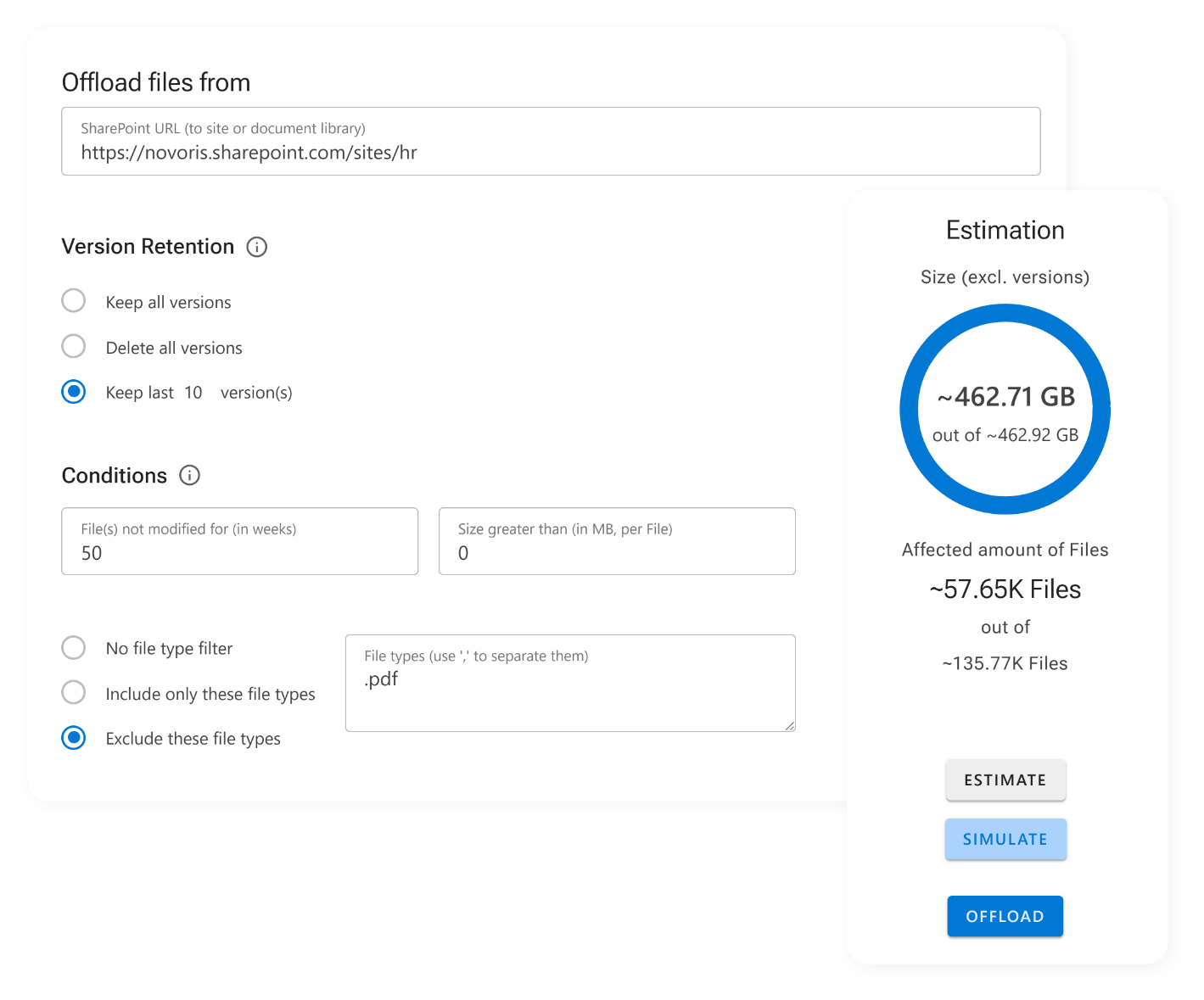
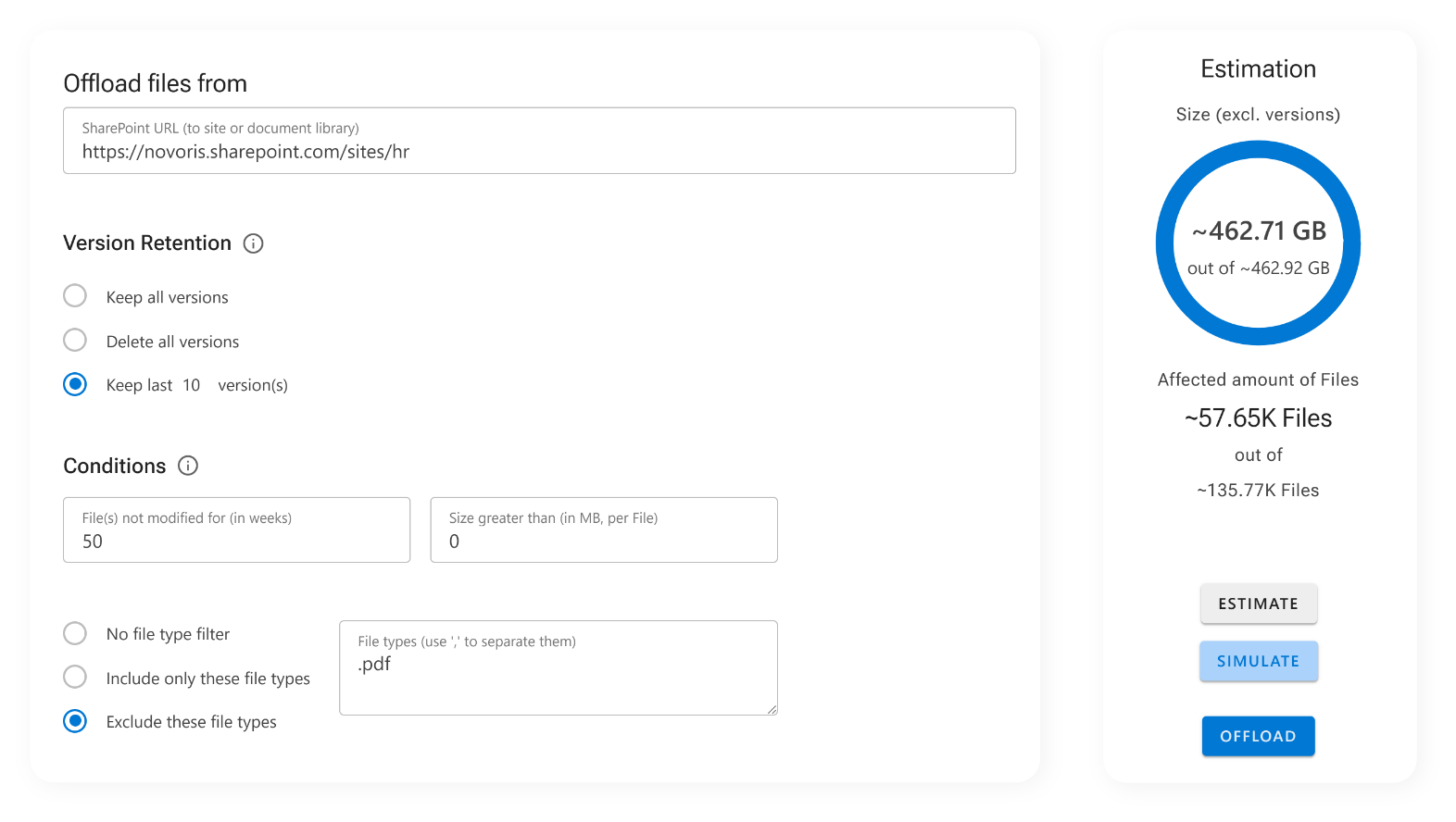
Screenshot of offloading and estimation in ShArc.
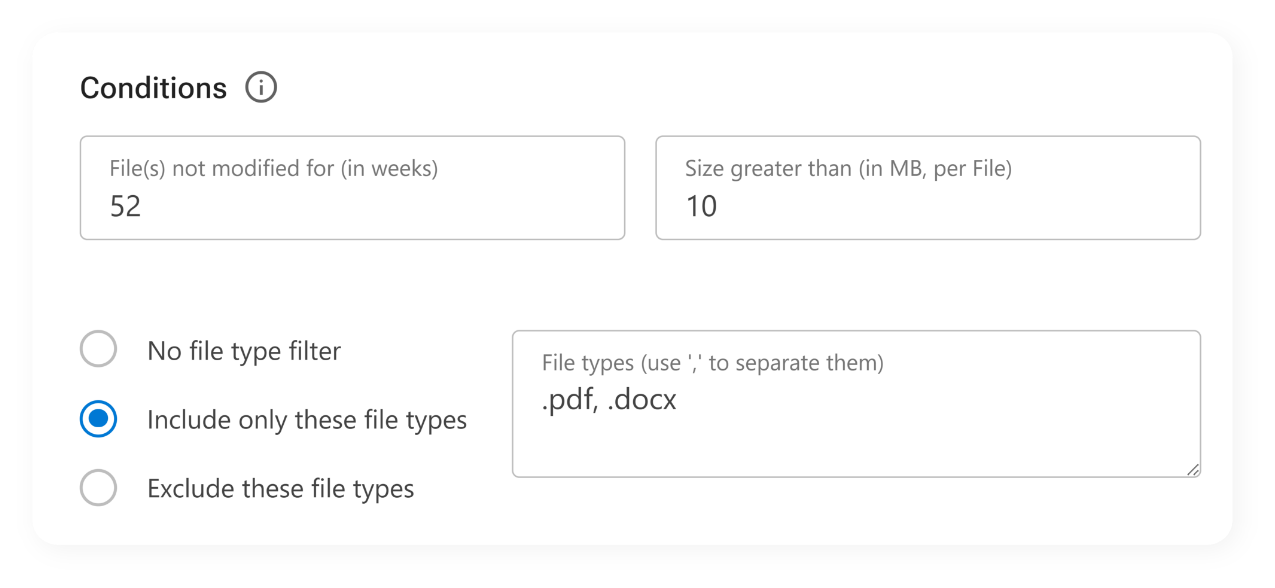
Screenshot of offload conditions that can be set in ShArc.
Create your offload conditions
  • Set up custom offload conditions for different sites, libraries, or folders and use filters such as file size, file types or "last modified" date to decide which files to offload.
  • Customize your offload strategy to suit your specific data management needs and ensure optimal storage utilization.
  • Gain clarity before automation, prevent unnecessary offloads and make confident, data-driven decisions
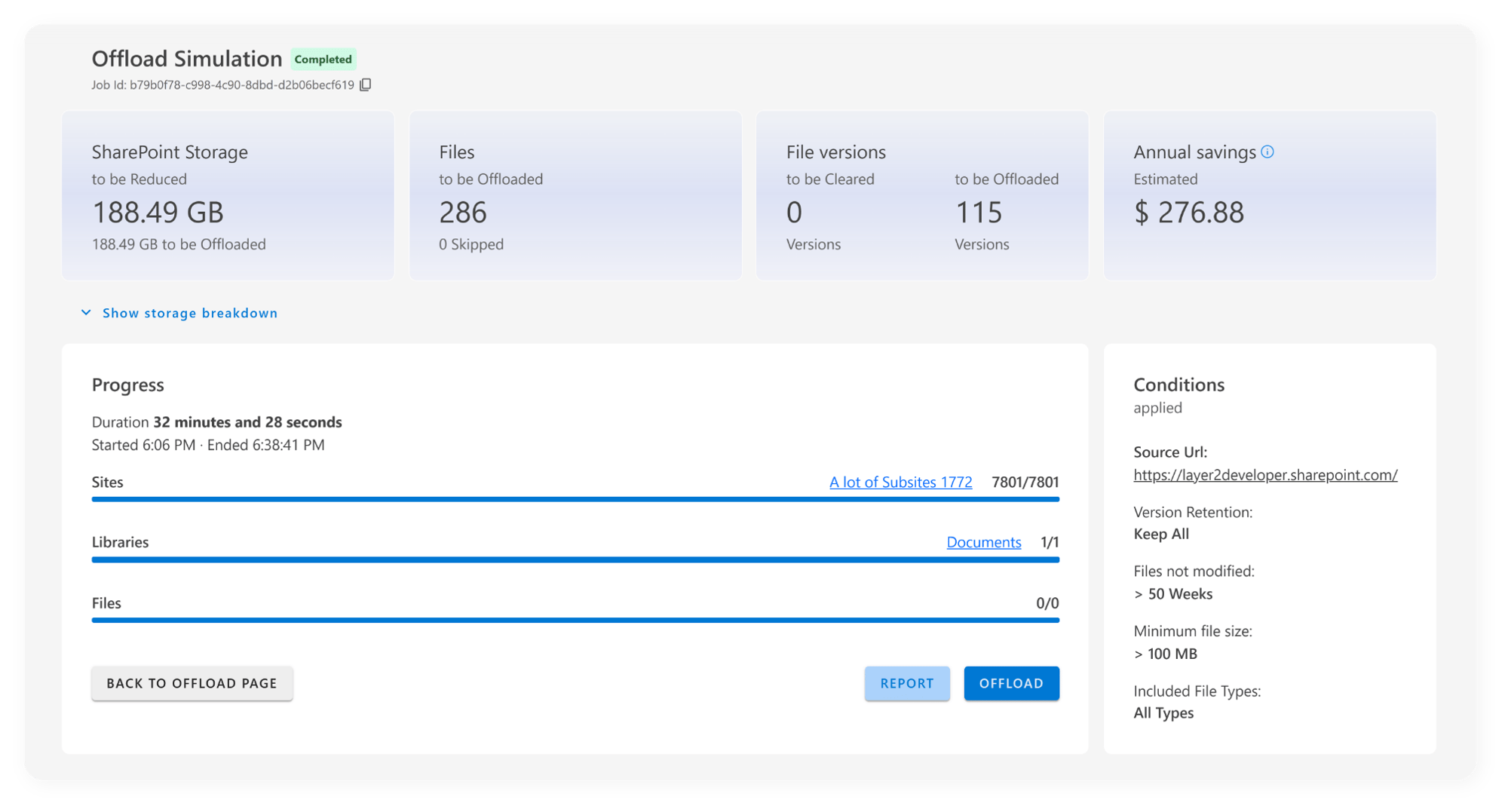
Simulate your offload impact
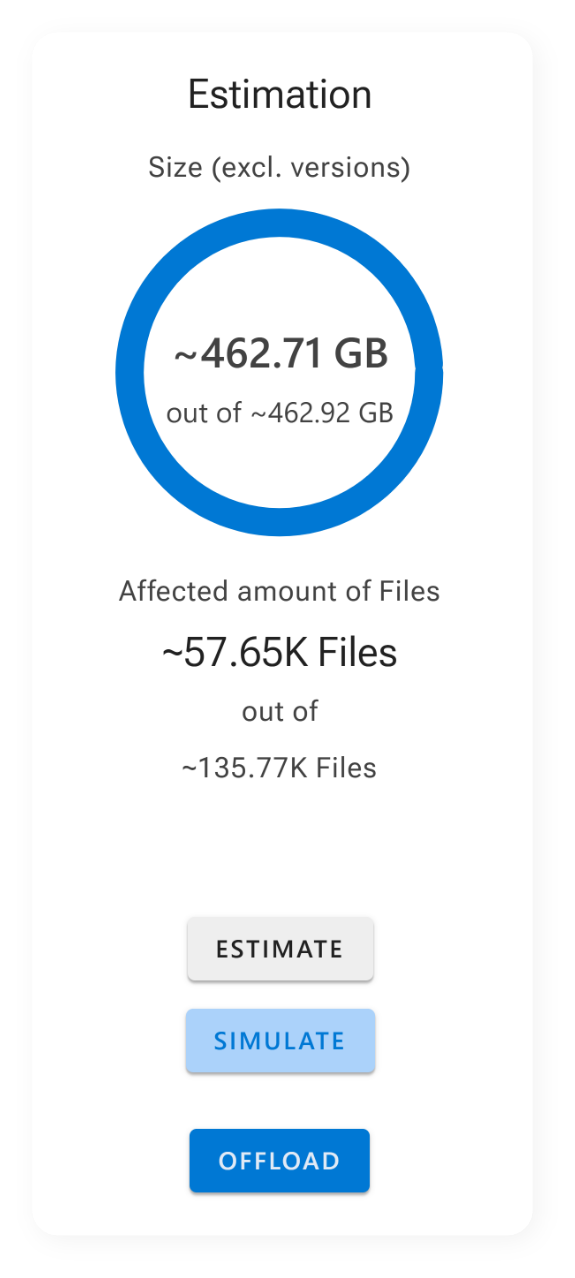
  • Configure custom offload conditions for specific SharePoint URLs and get a estimation of how much space you will free up.
  • Make the data-based decisions about your data management strategy. By understanding the impact of your settings in advance, you can optimize storage and control costs more effectively, ensuring that high-priority data remains easily accessible.
  • Gain information of potential storage savings before implementing changes, ensuring you make informed decisions about your data management strategy.
ShArc's estimation that simulates the offload impact.
ShArc's offload simulation screen.
Check where your data is stored with reporting
  • See which SharePoint libraries, sites, and files are affected by your filter settings
  • Check how much storage each area consumes and which URLs should be offloaded by policies.
  • Gain deep insights into your cold data, identify top storage consumers, and create targeted, data-driven offload policies based on real analysis.
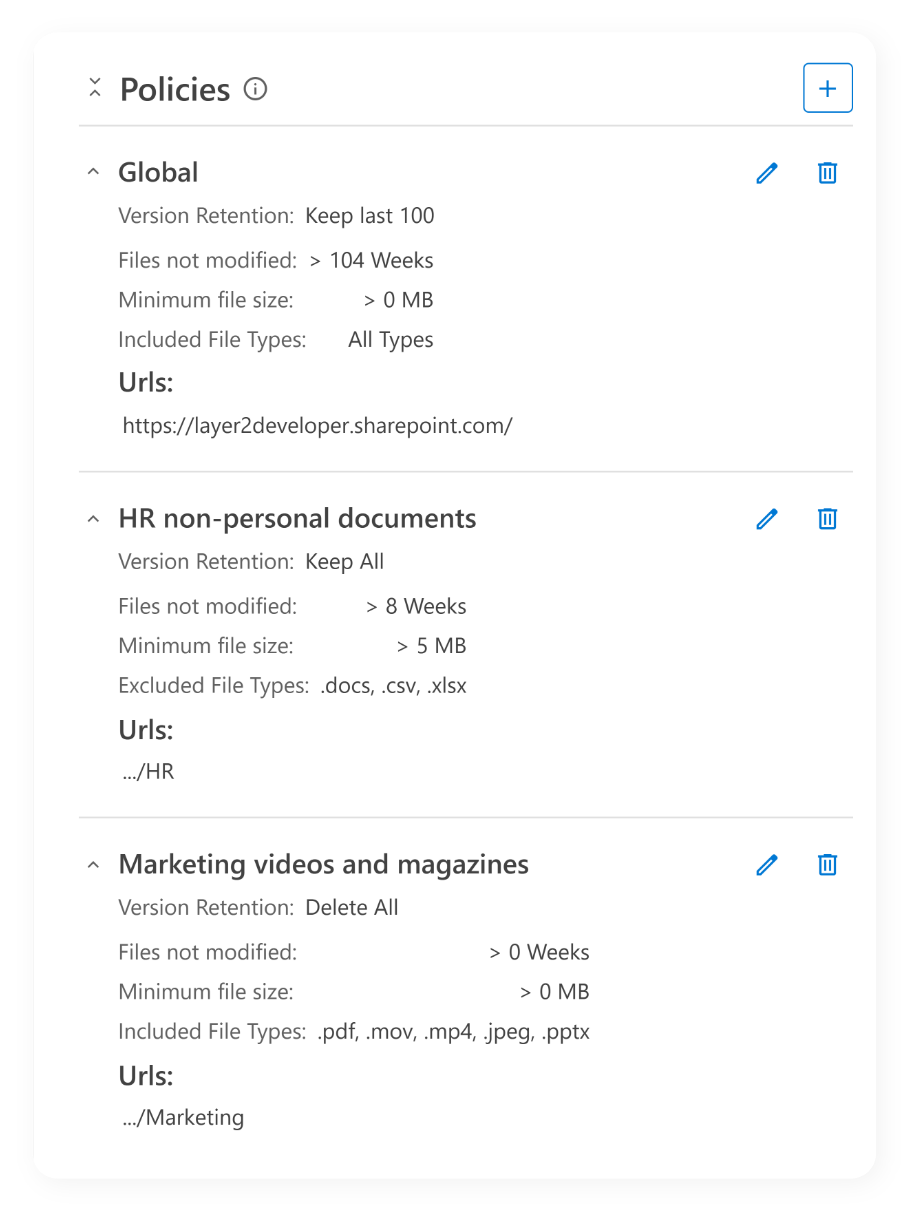
Manage your policies and offloading rules
  • Create policies at domain, site, subsite, or library level and define rules based on file size, age, or both. 
  • Smart override system (lower-level policies automatically override higher-level ones) and exclusion support to exclude specific locations from offloading policies combined criteria. 
  • Gain tailored automation for any department or tenant with easy, script-free management and a clear separation between business and technical logic.
Screenshot of ShArc's policie setting up.
Screenshot of ShArc's offload and estimation screens.
Schedule your offload conditions
  • Automate your archiving processes with ease by scheduling when and how your processes should run, ensuring that your data management is both efficient and timely.
  • Define your own conditions and let ShArc’s scheduler handle it for you.
  • Gain freedom from manual tasks, save admin time, reduce errors, and keep SharePoint performing seamlessly at scale.
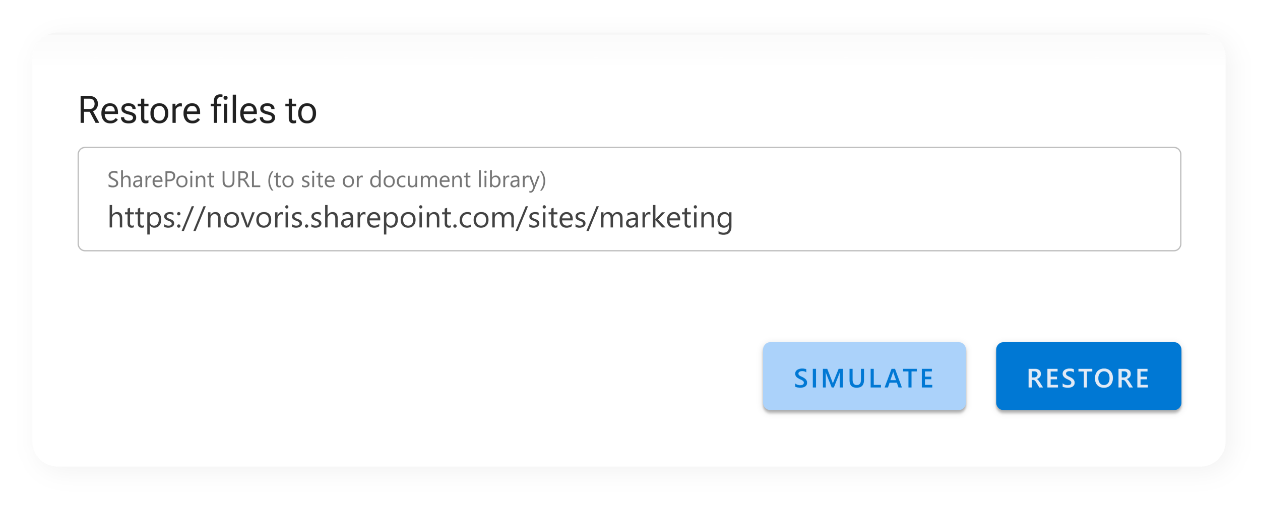
Restore files with one click
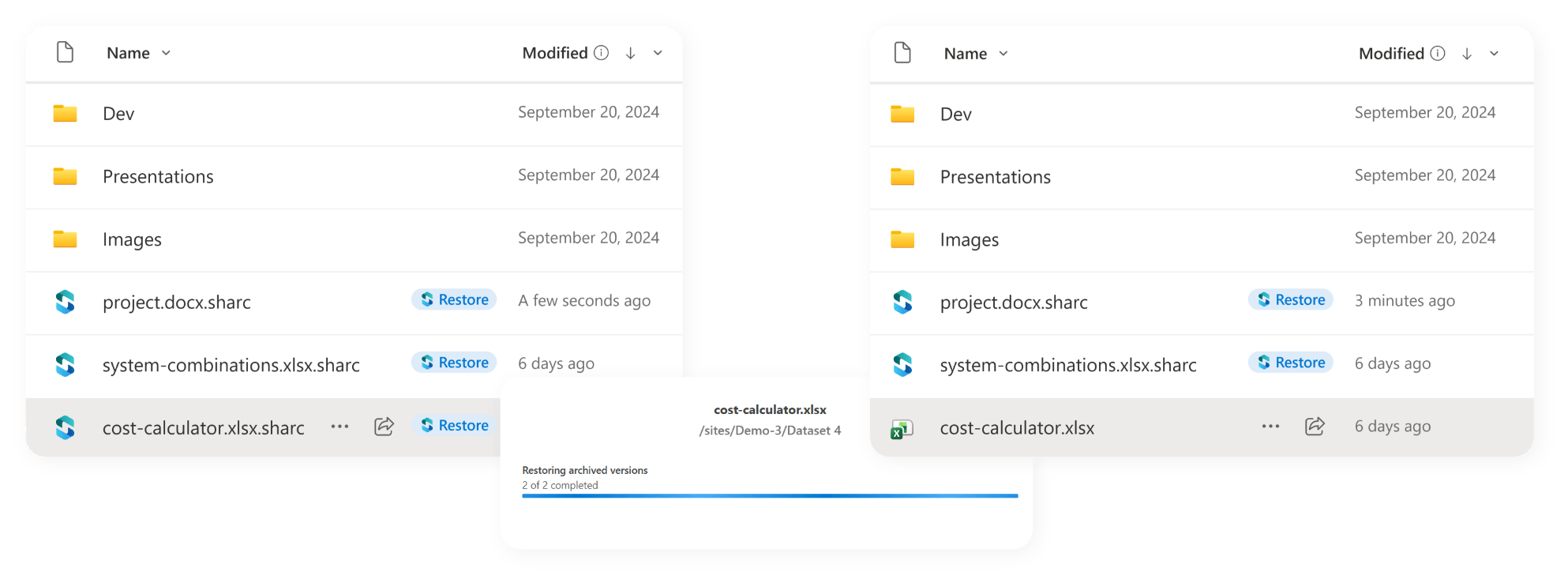
  • Let end users restore data. Whether your SharePoint users use Teams, OneDrive, or SharePoint itself, they can restore offloaded files with one click. This allows them to access and use the files as before.
  • Simplify your processes and let ShArc restore file automatically in the background.
  • Gain a seamless user experience with famial data access for end users, reduce IT support tickets, and strengthen adoption and trust among end users.
Graphic showing files in Azure Blob Storage on the left and files stored in SharePoint and Teams on the right. In the middle, a ShArc icon symbolizes how files are moved between systems so that end users can access them.
Screenshot of how to restore ShArePoint sites and libraries with ShArc.
Restore your sites and libraries
  • Restore whole sites or libraries with just one click. If a project becomes relevant again, whether due to changes in business priorities, the need for historical data, or regulatory requirements, the entire SharePoint site or library associated with that project can be fully restored in an instant. 
  • Eleminate the need for complex and time-consuming data recovery procedures, ensuring that all information is back in place with no risk of data loss or file corruption.
  • Gain one-click restoration for entire sites or libraries, eliminating complex recovery procedures, minimizing data loss risks, and instantly reviving projects when business needs change.
Trace your offloaded files
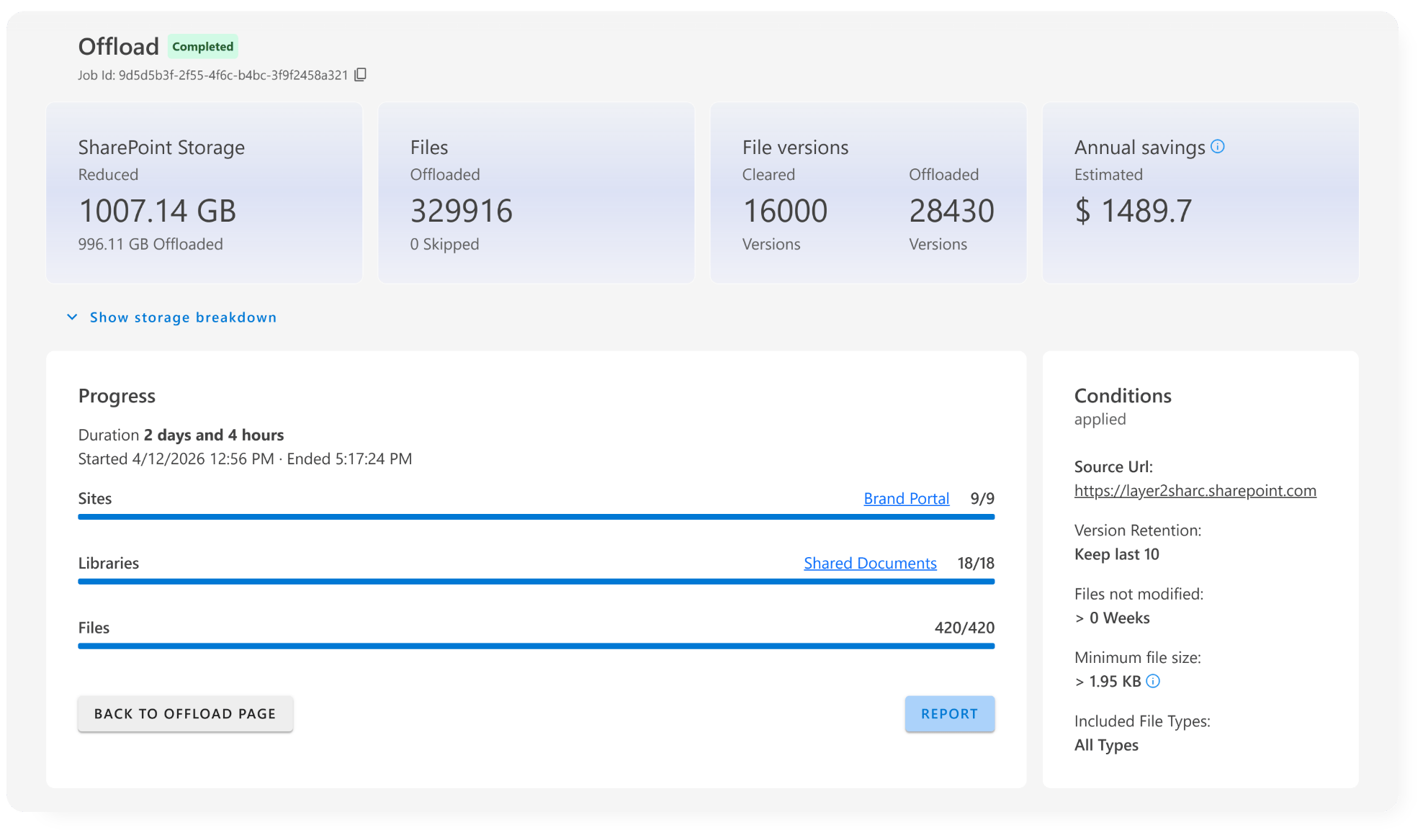
  • Keep track of all offloaded files with the feature "history". ShArc provides detailed logs and reports that show which files were offloaded and the specific job that caused it.
  • Maintain full visibility over your data and ensure accountability within your storage management processes.
  • Gain complete visibility into all offloaded files, understand what triggered their movement, and ensure full control and visibility across your storage management processes.
Screenshot of ShArc's offloading progress
Graphic of 3 file icons, one of which is an arrow pointing to the right to a file icon.
Reduce file versioning from 500 to 1
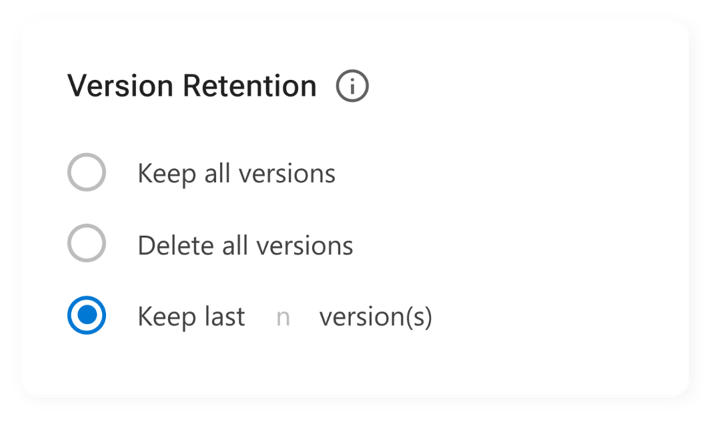
  • Save additional storage space by reducing the number of file versions stored. With just one click, you can delete all previous file versions, retaining only the most recent one.
  • Eliminate unnecessary data and optimize your storage utilization without compromising on data integrity.
  • Gain a optimized storage and prevent to store hundreds of file versions.
Automated alerting
  • Get information about successfull offloads or issues in real time through Azure Alerts.
  • Set-up in minutes. 
  • Gain insights and stay informed about successes or issues through Azure Alerts, and maintain complete visibility and accountability across your data management.
Graphic of an exclamation mark with a green star-shaped area around it.

What ShArc offers compared to other providers

Layer2-ShArc-Favicon
AvePointOpus
MicrosoftArchive
ShArc
 
AvePoint Opus
Microsoft Archive
1 click restore through SharePoint user
sharc-haken
sharc-kreuz
sharc-kreuz
Save 50% compared to SharePoint extra storage
sharc-haken
sharc-kreuz
sharc-kreuz
Offload whole sites and libraries
sharc-haken
sharc-haken
sharc-haken
Offload files and folders
sharc-haken
sharc-haken
sharc-kreuz
100% data sovereignty with the customer
sharc-haken
sharc-kreuz
sharc-haken
Usage based pricing
sharc-haken
sharc-haken
sharc-haken

What ShArc offers compared to other providers

Table comparing ShArc with AvePoint Opus and Microsoft Archive.