Create your Archiving Conditions
Managing SharePoint storage is about strategic and smart archiving. With ShArc, you can create highly customized Archiving Conditions tailored to your organization’s real-world data usage.
Large project libraries, archived Teams channels, or unstructured departmental folders: ShArc allows you to define what data stays and what moves.
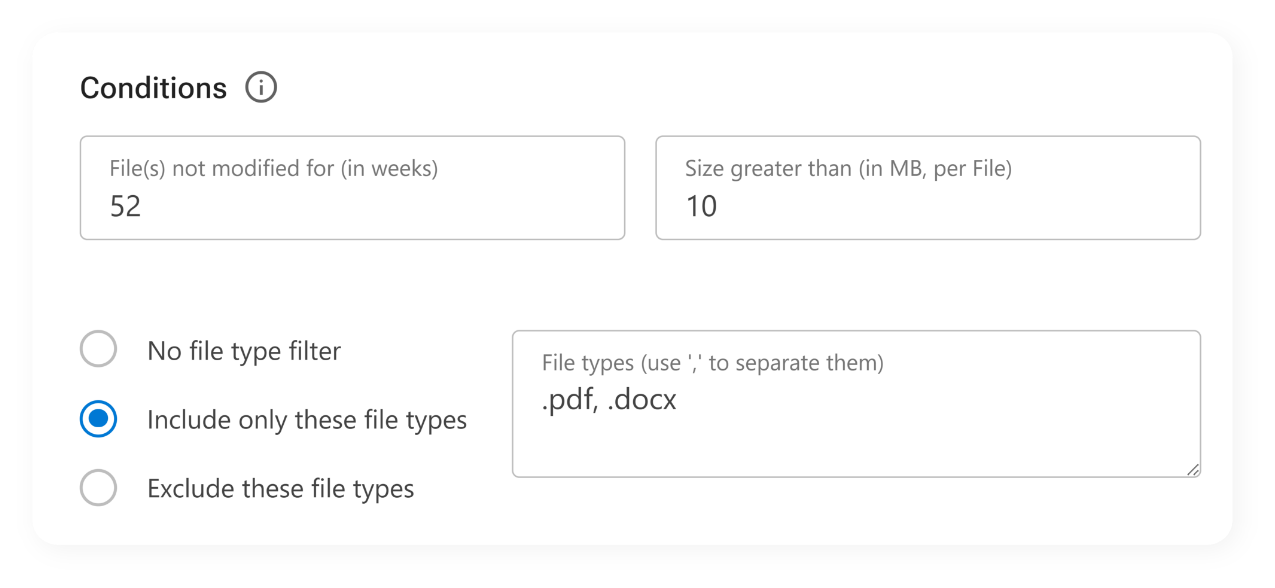
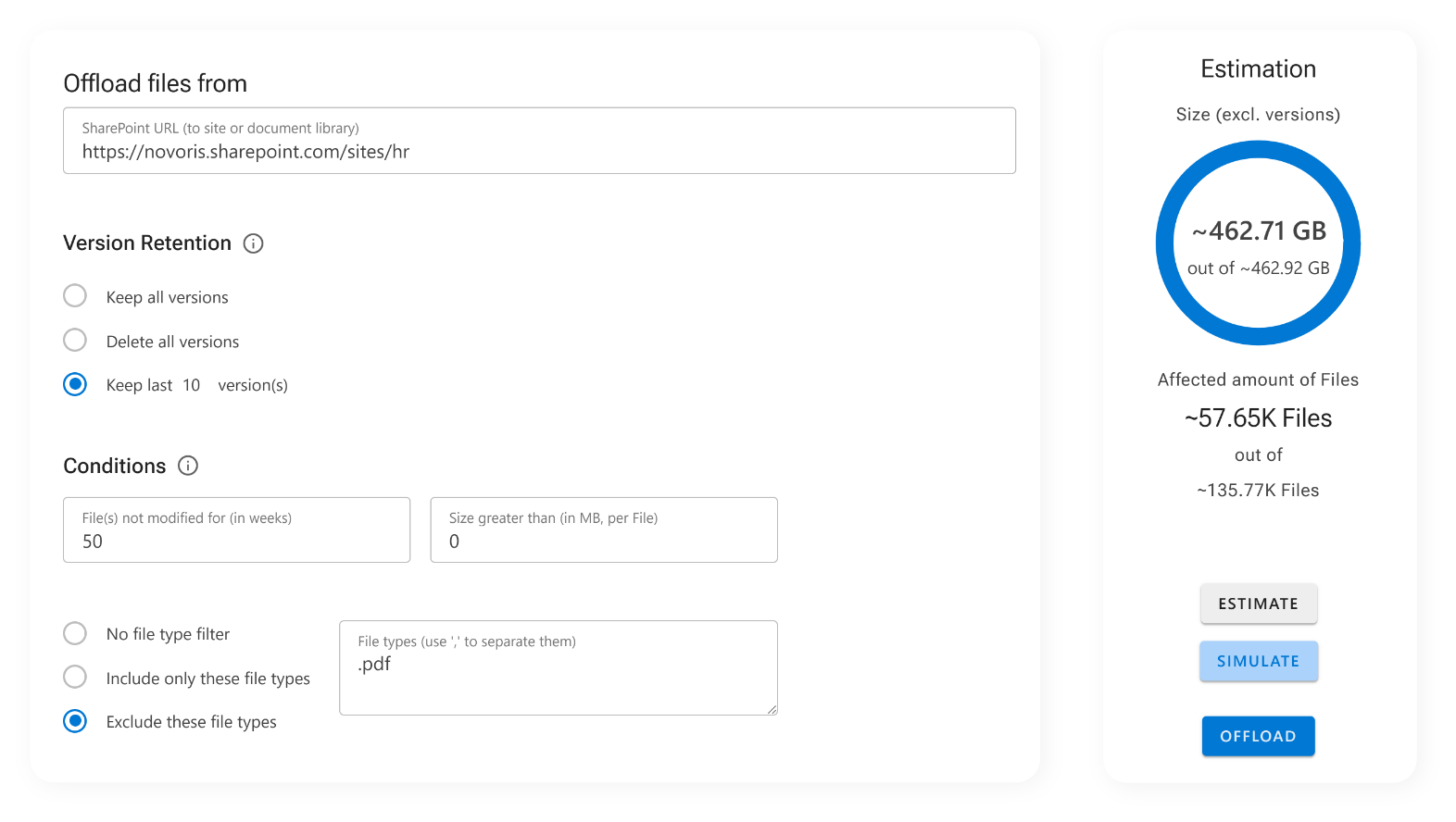
Take full control over what gets archived and when
Precise conditions mean users keep the files they actually work with, while only cold data moves to low-cost Azure storage. Use a wide range of filters like:
- File size (e.g., archived files larger than 50 MB)
- Last modified or last accessed date (e.g., older than 12 months)
You can set different rules for different SharePoint sites or document libraries, allowing you to adapt the archiving behavior to the specific lifecycle of each data segment.
Before archiving, we recommend running a Simulation with the conditions.
The result of Archiving Conditions and next steps
- Smarter archiving
- Leaner storage footprint
- Version Retention runs automatically during archiving
By fine-tuning your archiving strategy, you avoid complex cleanup processes and keep SharePoint lean without disrupting the people using it. It's still your data and your structure, just more efficient.
ShArc offers you automated, rule-based archiving. Policy Management allows you to establish fixed rules for your archiving.