

Turn insights into action with our reporting feature
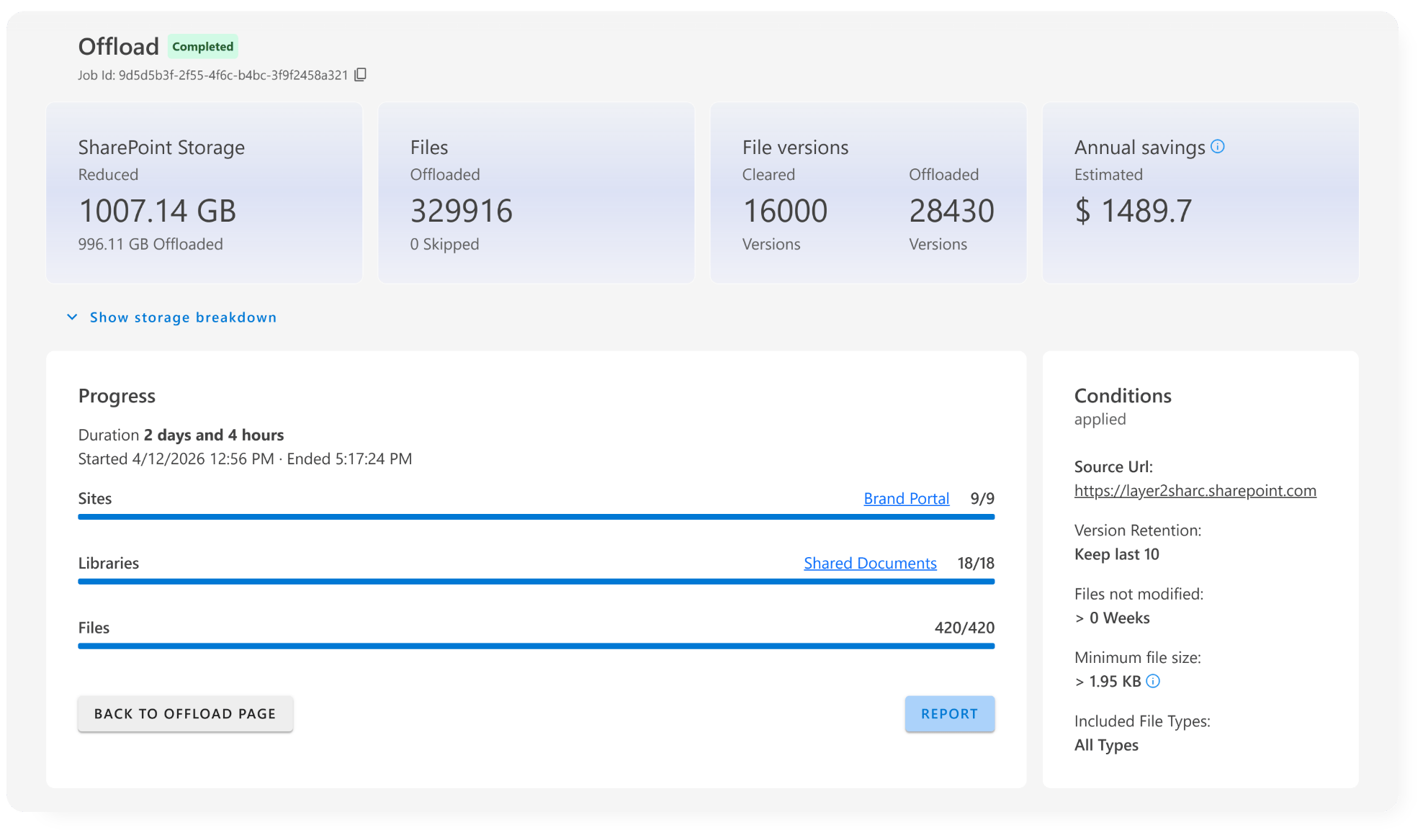
After running an archiving job or a simulation, ShArc generates a detailed report, showing which SharePoint libraries, sites, and files are affected by your filters.
Instantly see how much storage each area consumes and which URLs need archiving policies. You can simply copy URLs or create policies with a single click.
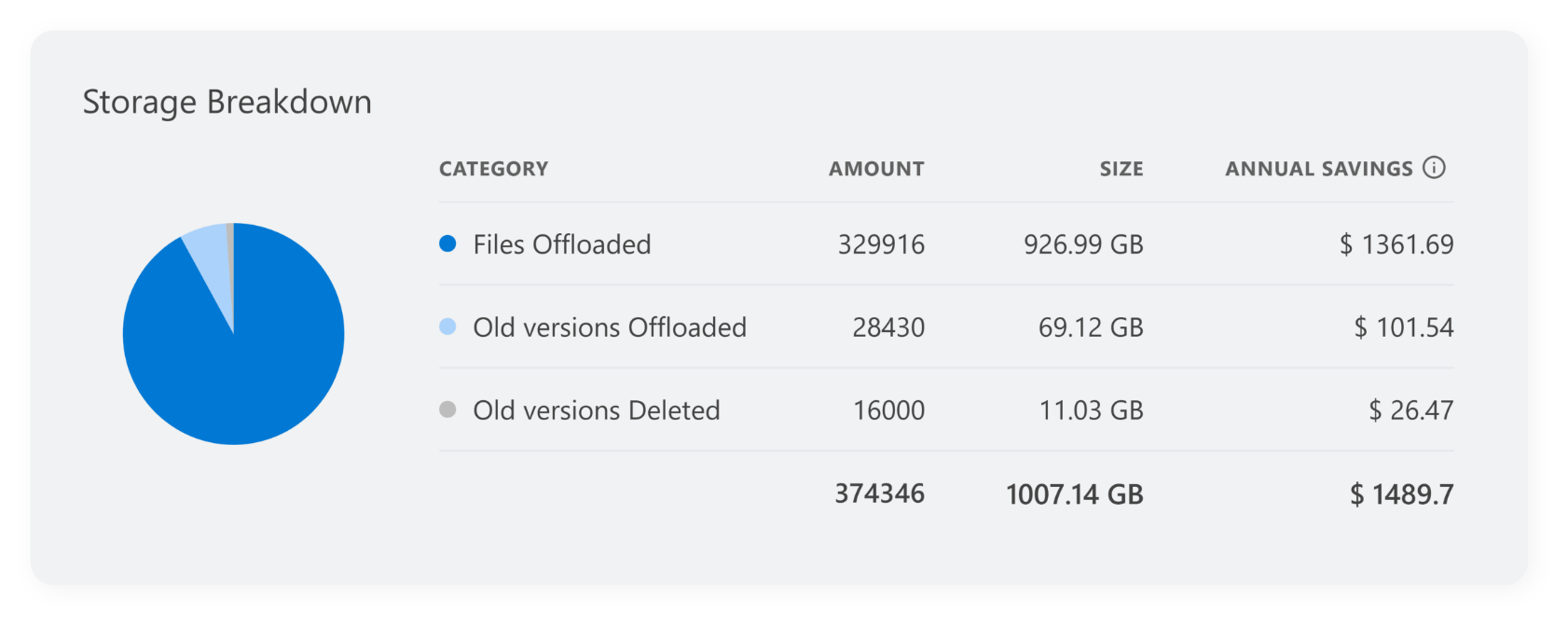
Storage breakdown
ShArc's storage breakdown offers information about the exact amount and size of archived files. You can see how many old versions were deleted and how many old versions are archived.
Create data-based archiving plans
With ShArc’s reporting feature, you get full visibility into your SharePoint storage landscape, whether you want to analyze, optimize, or automate.
- Understand the structure of your cold data
- Identify the biggest storage consumers
- Build precise, data-driven archiving plans
- Archive only inactive data, and keep all files fully accessible: users still see archived files and restore them in one click
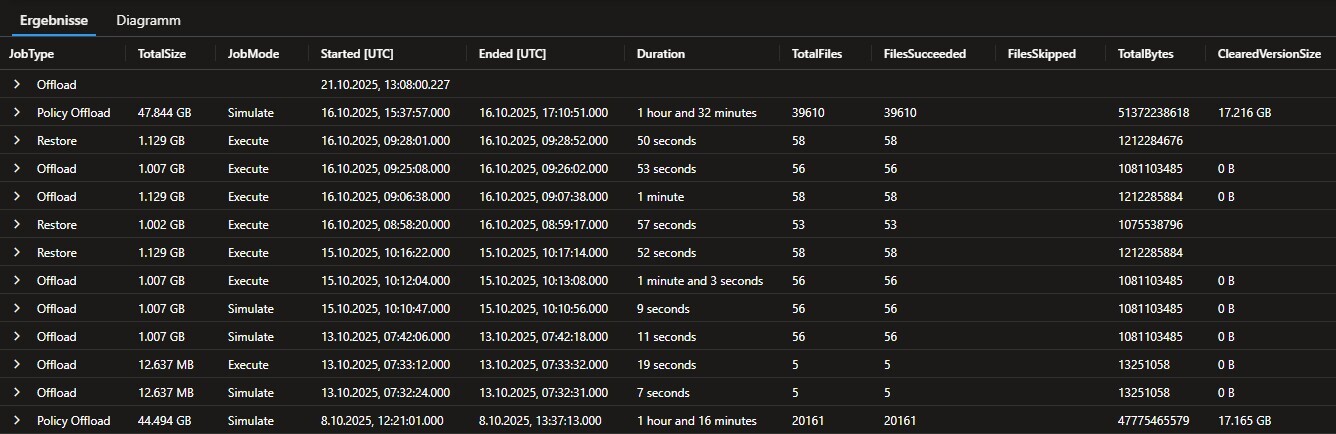

ShArc helps you with your data-based decisions
With the insights you get with reporting, your archiving strategy becomes smarter, safer, and more transparent.
You can also explore the history feature, which helps you keep track of all the details of your archived items. Plus, if you use automated alerting, you’ll always be notified right away.