Last updated: September 25, 2026
Learn how SharePoint Online extra storage pricing works, how much additional storage costs per GB, and what to consider before buying more space.
What happens when you need more SharePoint storage—and what it costs
Every Microsoft 365 tenant gets a generous amount of storage for SharePoint Online as part of their subscription but heavy usage, multimedia libraries, Teams content, and long-running collaboration sites can quickly eat into that space. Of yourse you can read more about the cost drivers and why SharePoint storage becomes a cost trap. When your SharePoint storage starts to run low, you face a choice: optimize what you have or pay for more.
How much storage you get by default
Microsoft bundles storage with your subscription:
- 1 TB base storage per tenant
- Plus 10 GB per licensed user in most Microsoft 365 plans
This pool is shared across all your SharePoint sites. It’s dynamic and flexible, but once it fills up, additional growth isn’t free.
Extra storage: how it’s sold
When the included SharePoint storage isn’t enough, Microsoft offers an add-on called Office 365 Extra File Storage. This lets organizations buy additional storage in 1 GB increments directly through the Microsoft 365 admin center.
Important: This is an add-on—not a standalone product. You need a qualifying Microsoft 365 or SharePoint plan for it to be available.
Pricing: what it costs in practice
Most pricing sources and admin center listings show a consistent model:
- Approximately €0.18 per GB per month for extra SharePoint storage.
- That’s roughly €180 per month for 1 TB (≈ 1,000 GB).
- Annually, that’s about €2,160 for one additional terabyte.
Pricing in Europe can vary slightly by country, currency rounding, and reseller agreements, and VAT may apply depending on your region. Please read SharePoint storage costs per GB or TB if you'd like to learn more about pricing.
Keep in mind: pricing shown in your billing admin center may differ from third-party reseller offers or older marketplace listings. Always verify current rates before purchasing.
What this means for teams and budgets
Scale with demand
If your collaboration footprint grows (large file libraries, heavy Teams usage, or rich media) purchasing storage lets you scale without losing productivity. The add-on is flexible: you buy what you need in 1 GB steps and can adjust over time.
Budget considerations
However, the cost can add up quickly:
- 5 TB extra ≈ €900 per month
- 10 TB extra ≈ €1,800 per month
This can mean tens of thousands of euros per year if your SharePoint usage grows into double-digit terabytes.
For organizations unconstrained by budget, the pricing is predictable. For others, it highlights the importance of strong storage governance and regular cleanup policies.
Best practices before you buy more storage
Before clicking “Buy” in the admin center, consider:
1. Cleanup first
Unused sites, old versions, and large file histories can bloat your storage. Cleaning these up—or setting version limits—can postpone or reduce additional costs.
2. Monitor growth
Use reporting tools to see where storage is being consumed so you can plan and optimize proactively.
3. Evaluate licensing alternatives
Sometimes adding user licenses (which also give additional storage) or shifting seldom-accessed content to cheaper storage layers like Azure might be more cost-effective.
To sum it up
Microsoft’s SharePoint storage add-on gives organizations flexible scalability, but it comes with a price: approximately 0.18€ per gigabyte per month for extra space beyond your included quota.
Understanding how storage accumulates and what it costs lets you make smarter decisions whether that’s cleaning up file sprawl, adjusting governance policies, or planning capacity and budgets more effectively.
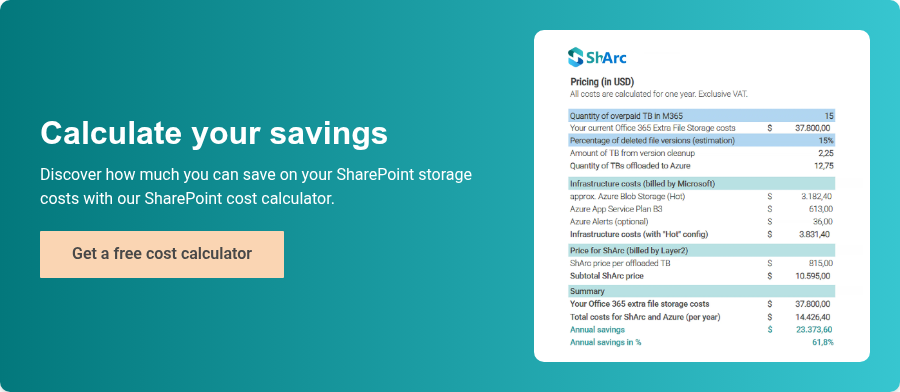
Try the SharePoint Cost Calculator now and see how much money you can save on SharePoint storage cost with archiving unused data.