Skip to content

Reduce SharePoint extra storage costs by 50%

Identify unnecessary data in SharePoint and move files to Azure Blob without your users having to sacrifice SharePoint, Teams or OneDrive functionality. Optimize your storage and let users restore files with one click.
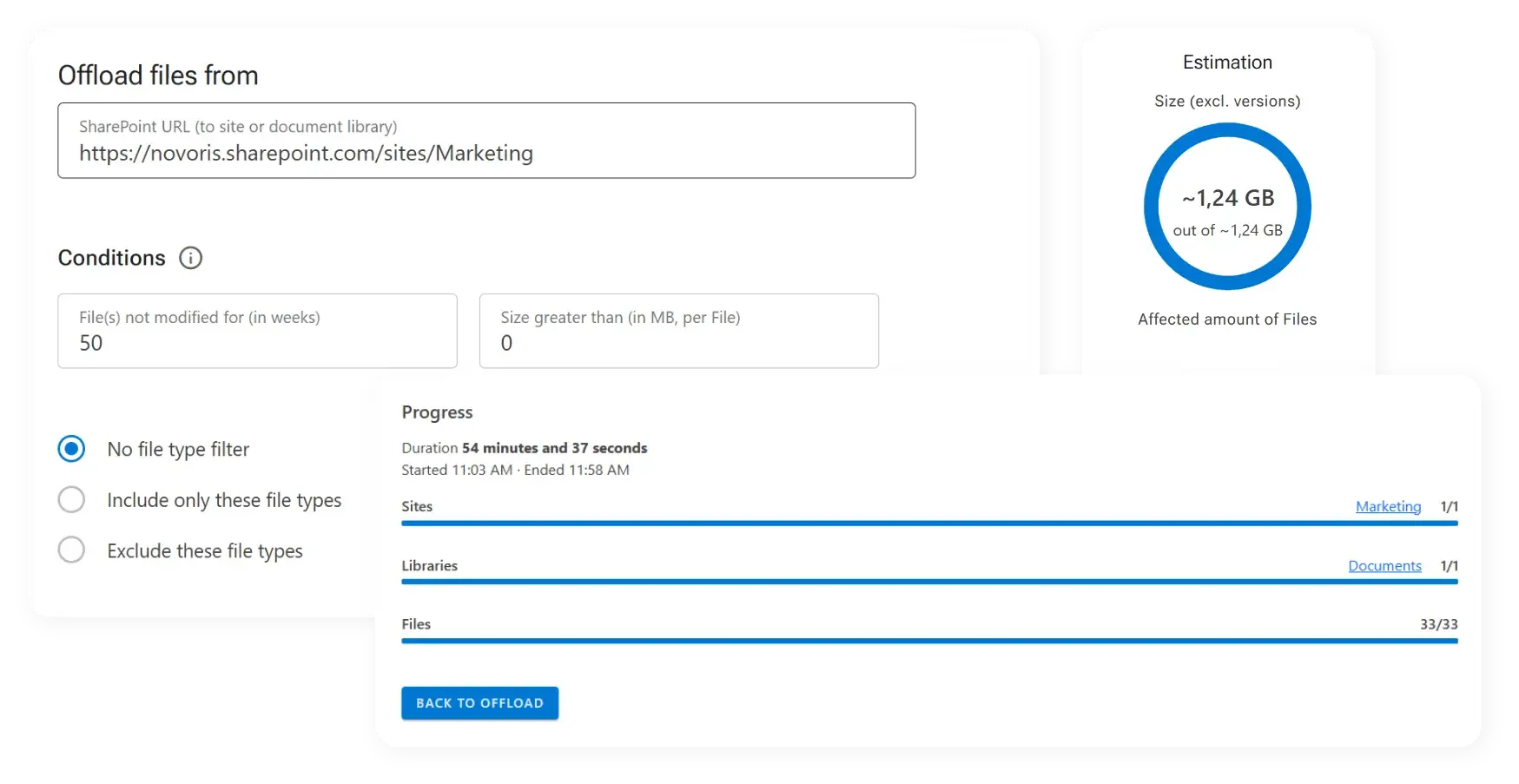
Screenshot of offload conditions and estimation in ShArc.

Trusted by IT-Consultants and SharePoint Admins around the world

Rapidly increasing storage costs

SharePoint's default storage allocation is quickly exhausted as businesses scale, and the cost of additional storage is steep. Many companies are paying thousands of euros annually just to keep their data accessible, limiting their ability to allocate resources to more critical IT needs.


Meet ShArc—and optimize your SharePoint storage costs

Efficiently reduce your SharePoint storage costs by seamlessly offloading data to Azure Blob Storage, all while maintaining access and control.
Icon of an exclamation mark with a green star-shaped area around it.

Your free product demo

We will be happy to present the advantages of ShArc, show you the functions and answer all of your questions. We're looking forward to talk to you - click the button below, fill out the form, and select a suitable date in our calendar.

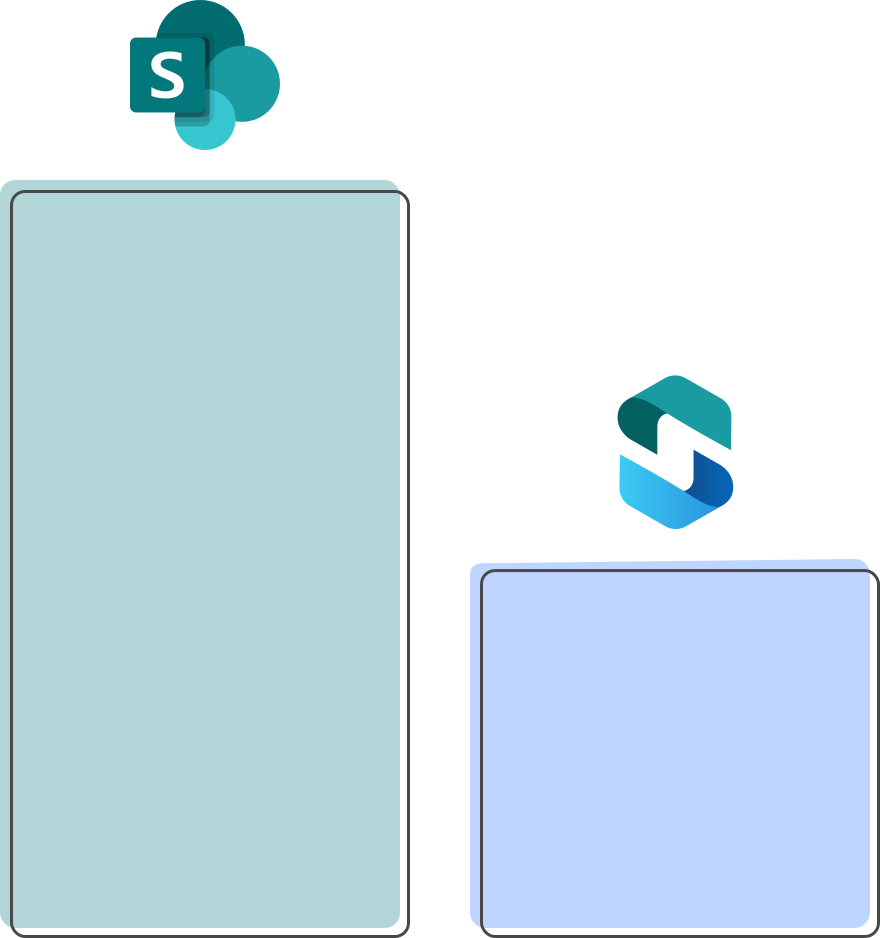
Bar chart comparing SharePoint storage costs with ShArc storage costs.

Your storage costs per year

You have two options to maximize your SharePoint storage: purchasing additional storage in SharePoint or utilizing your Azure Blob Storage. 

15TB extra SharePoint Online storage per month cost per year: $37,800


Move your SharePoint data to Azure Blob Storage and save at least 50% with ShArc

Including server costs, storage costs and the costs for ShArc you pay $16,618 SharePoint storage costs when storing your data smart and cost-effective in Azure Blob Storage. With our tool ShArc you can keep your data in Microsoft and automatically transfer data from SharePoint Online to Azure. On our pricing page you can see a complete calculation example. 

Start now if you need:


Icon of a green and grey arrow pointing downwards.
Reduced storage costs

Benefit from the low priced storage space in Azure Blob Storage. Minimize your SharePoint costs.

Icon of 4 green-gray arrows pointing from the inside to the outside.
Extended storage

Never run out of SharePoint storage. Ensure scalability of your storage capacities.

Green and grey icon for integration.
Seamless integration
Set up in minutes. Integrate Azure Blob Storage with SharePoint and define your archiving rules.
Icon of a green and gray security lock.
Advanced security
Keep your data safe in trusted systems—in compliance with policies. For your security we use APIs like graph.
Icon of a green rocket pointing upwards to the right.
Higher productivity
Focus on important tasks. No more worries about limited storage capacities or data access.
Green icon symbolizing smooth access.
Smooth access
Let users restore and access data as usual via SharePoint, OneDrive or Teams. The usability remains as simple as before.
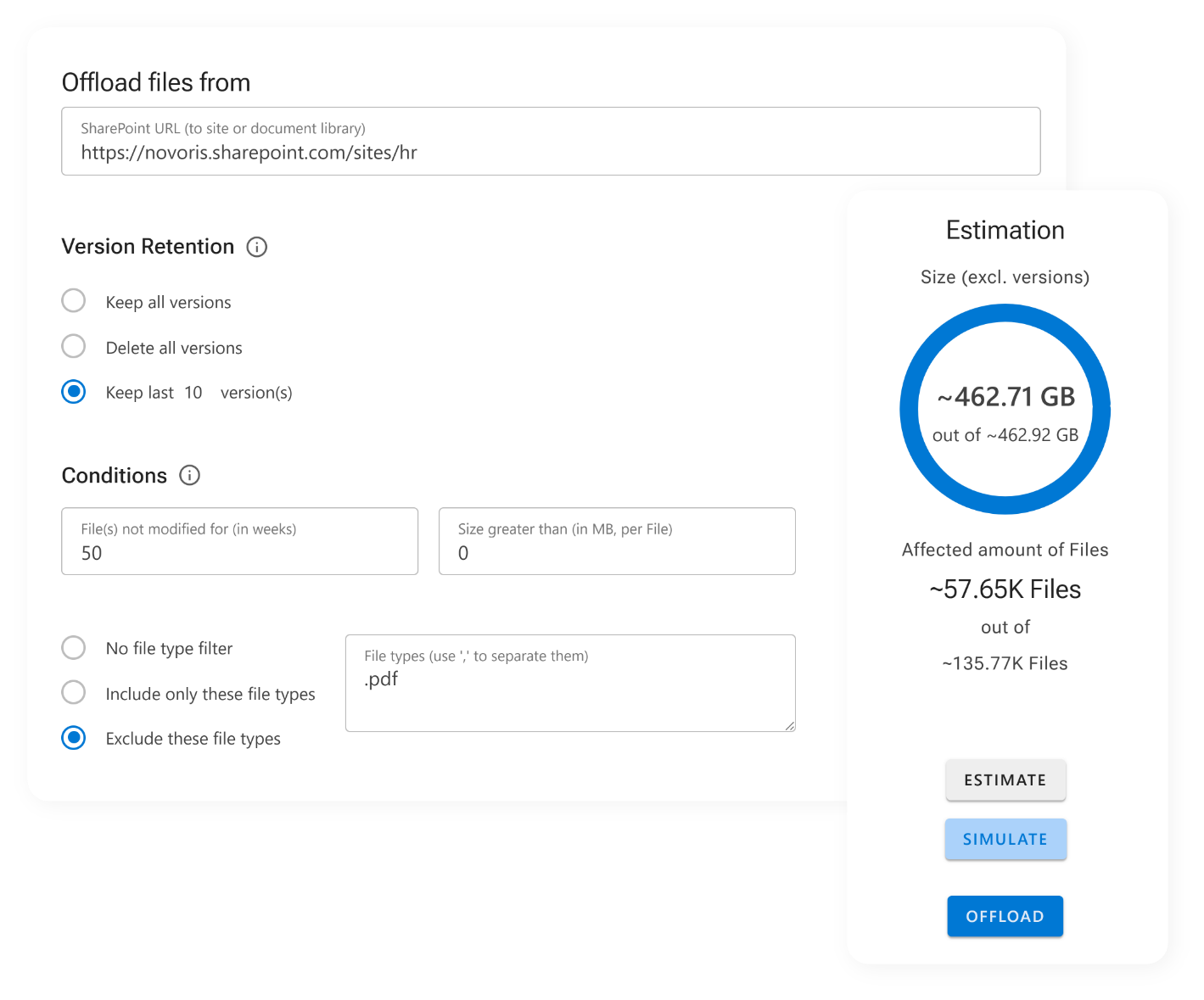
Screenshot of how ShArc works, including offload settings, estimation, and restoring progress.

Features

✓ Automatic archiving: set up archiving rules for your data, based on size, last access and more   

✓ Simple configuration: set up and configure archiving rules and policy management in minutes   

✓ Intuitive dashboard: keep an eye on storage limits, react early and provide the necessary storage capacities

✓ High security: your data stay in the Microsoft environment, based on your security policies

✓ Smart reporting: keep an eye on your data and create your reports with one click

✓ Direct user access: let users restore archived data through familiar SharePoint interface with one click   

 Automated notifications: get information about successful offloads or issues in real time through Azure Alerts 


"ShArc has done what Microsoft clearly refused to do. Utilizing a cheaper cold storage approach as a backend for live active SharePoint sites is perfect! End users don't see a change but data storage costs are kept in control. Its an ingenious solution to a problem all SharePoint admins face."

John Terrence | IT Manager | Simple Mills Inc.

How our tool works

  • Connect SharePoint with Azure Blob Storage. 
  • Set up rules, which data should be moved from SharePoint to Azure Blob Storage. 
  • End users work in SharePoint as usual.

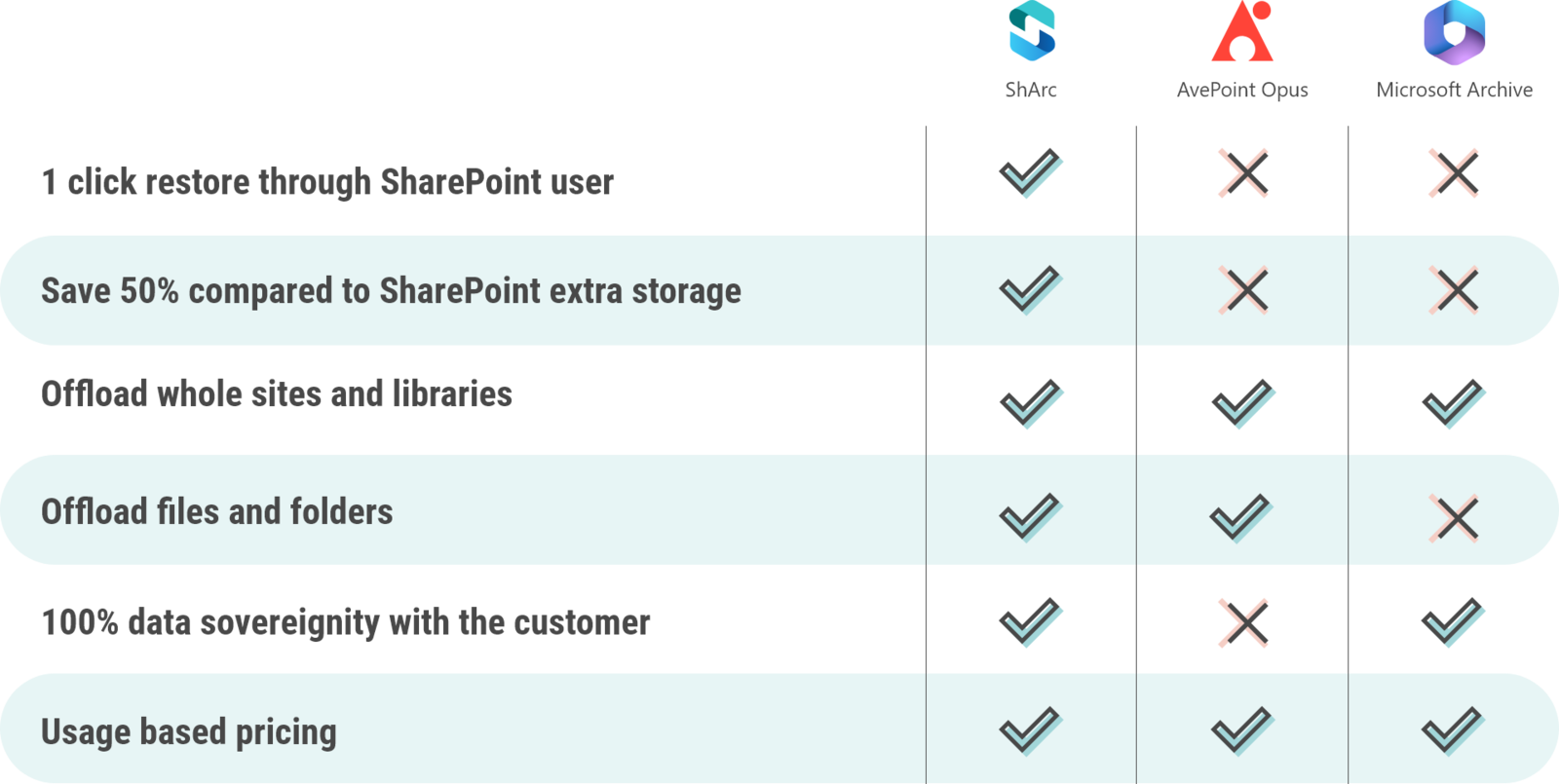
What ShArc offers compared to other providers

csm_comparison-sharc-avepoint-microsoft_01_4bad9349e1

What ShArc offers compared to other providers

Layer2-ShArc-Favicon
AvePointOpus
MicrosoftArchive
ShArc
 
AvePoint Opus
Microsoft Archive
1 click restore through SharePoint user
sharc-haken
sharc-kreuz
sharc-kreuz
Save 50% compared to SharePoint extra storage
sharc-haken
sharc-kreuz
sharc-kreuz
Offload whole sites and libraries
sharc-haken
sharc-haken
sharc-haken
Offload files and folders
sharc-haken
sharc-haken
sharc-kreuz
100% data sovereignty with the customer
sharc-haken
sharc-kreuz
sharc-haken
Usage based pricing
sharc-haken
sharc-haken
sharc-haken
Benefit from our expertise

 More than 3,200 companies around the world trust us and our products. We are the market leading provider for integration and synchronization software since 1991 and a certified Microsoft Modern Work Solution Partner with 4.5 stars on Capterra, Software Advise and GetApp.

Microsoft partner icon
Microsoft Modern Work Solution Partner


Customer icon
More than 750.000+ active users
Award icon
Since 1991
 
Map icon
Made in Hamburg, Germany
 

Interested in Saving Costs?

Request Sharc now for a full evaluation.


4.5 stars from GetApp
4.5 stars from Capterra
4.5 stars from Software Advice

Frequently asked questions

Here we answer the most frequently asked questions about ShArc. 

What is the primary use case for ShArc? ShArc is designed to reduce SharePoint Online storage costs by offloading infrequently used or large files to Azure Blob Storage. These files remain visible and accessible in SharePoint and can be restored on a file level by end users when needed, while no longer consuming expensive SharePoint storage. This allows organizations to significantly lower ongoing storage costs without impacting user workflows.
How much cost savings can be expected with ShArc? In most environments, 60 to 80 percent of SharePoint data qualifies as cold data. Customers typically achieve average storage cost reductions of around 60 percent, with higher savings possible depending on data volume, growth rate, and the configured minimum file age and minimum file size used for offloading.
Can end users still access files after they have been offloaded? Yes. Offloaded files remain visible in SharePoint and can be restored by end users using the one-click retrieval feature. From a user perspective, the file behaves like a normal SharePoint file and can be accessed without additional tools or training.
Does Layer2 have access to customer data stored by ShArc? No. Layer2 does not have access to customer files or content. All data remains within the customer’s tenant and Azure subscription. Only limited telemetry information, such as offload and restore statistics, is collected for operational and product improvement purposes.
Is there a limit to how much data ShArc can offload? There is no hard limit on the amount of data that can be offloaded with ShArc. Offloading large volumes of data is supported and primarily limited by SharePoint and Azure throughput, meaning larger datasets may require more time to complete.

Can offloaded files still be found via search or used by Copilot? Metadata such as file name, properties, and custom columns remain searchable in SharePoint. However, the file content itself is not indexed while the file is stored in Azure Blob Storage, meaning full-text search and Copilot content analysis are currently limited to metadata only. Further options in this area are being evaluated for future releases.